

Explainer
Power Station UPS Mode Explained
Switchover, Bypass and Always-On Limits
Choose a portable power station with UPS by comparing outlet-specific switchover, bypass limits, timeout settings and restart behavior in official US manuals.
By thisWATT EditorialUpdated November 3, 20268 min read4 picks
On this page · Quick picks: choose the behavior you need
A portable power station with UPS can keep compatible household loads running when mains fails, but its transfer time, bypass limit and restart behavior are separate checks. Our starting pick is the EcoFlow DELTA 3 Plus for loads that tolerate its manual-stated 10 ms standby transfer; choose the BLUETTI Apex 300 when documented recovery after battery depletion matters most. For an explicitly 0 ms online UPS option, consider the original US DELTA Pro Ultra, using its designated online outlets.
Quick picks: choose the behavior you need
Compare specifications and all conditions
Everyday plug-in household backup
- Pick
- DELTA 3 Plus
- Main condition
- Set AC timeout appropriately and enable Output Port Memory
More stored energy
- Pick
- Explorer 2000 v2
- Main condition
- Check its bypass restriction and disable Energy Saving Mode for small loads
A larger home-backup station with limited plug-in UPS
- Pick
- F3800 Plus
- Main condition
- Use the three left UPS sockets; plan for manual restart after depletion
Documented automatic recovery
- Pick
- Apex 300
- Main condition
- Recovery saves output state and has battery-level conditions
Online UPS outlets
- Pick
- Original DELTA Pro Ultra
- Main condition
- Online and backup sockets have different transfer specifications
Full comparison table
Swipe to compare. Row labels stay visible.
| Your priority | Pick | Main condition |
|---|---|---|
| Everyday plug-in household backup | DELTA 3 Plus | Set AC timeout appropriately and enable Output Port Memory |
| More stored energy | Explorer 2000 v2 | Check its bypass restriction and disable Energy Saving Mode for small loads |
| A larger home-backup station with limited plug-in UPS | F3800 Plus | Use the three left UPS sockets; plan for manual restart after depletion |
| Documented automatic recovery | Apex 300 | Recovery saves output state and has battery-level conditions |
| Online UPS outlets | Original DELTA Pro Ultra | Online and backup sockets have different transfer specifications |
Scroll horizontally to see every column
| Your priority | Pick | Main condition |
|---|---|---|
| Everyday plug-in household backup | DELTA 3 Plus | Set AC timeout appropriately and enable Output Port Memory |
| More stored energy | Explorer 2000 v2 | Check its bypass restriction and disable Energy Saving Mode for small loads |
| A larger home-backup station with limited plug-in UPS | F3800 Plus | Use the three left UPS sockets; plan for manual restart after depletion |
| Documented automatic recovery | Apex 300 | Recovery saves output state and has battery-level conditions |
| Online UPS outlets | Original DELTA Pro Ultra | Online and backup sockets have different transfer specifications |
These are conditional picks based on manuals, not a guarantee that an appliance will stay on. Use our station comparison for broader buying choices and home battery backup guide for complete systems.
UPS vs EPS: read the power path
The useful distinction behind a UPS or EPS badge is standby versus online operation. Eaton explains that standby equipment normally uses utility power and switches to battery when a problem occurs; double-conversion equipment converts AC to DC and back to AC, with the inverter continuing on battery when input fails. Do not infer that architecture from a station's badge alone.
Pass-through or bypass means mains can feed the connected appliance while the station also charges. It does not establish zero transfer time, power conditioning or the full inverter rating during bypass. Jackery's manual explicitly describes mains supplying the appliance in this state; Anker separately specifies charging and bypass ceilings.
Mains available
Identify whether the appliance receives bypass power or inverter output, and check that mode's limits.
Mains fails
Check the transfer specification for the actual outlet and operating mode.
Battery runs out
Check whether output returns automatically after recharge or requires a person to turn it on.
Mode-and-outlet comparison: US versions
These are manufacturer figures. Battery output is the station-wide continuous rating, not a promise for every socket or bypass path. The grid column describes the stated input or bypass budget; charging can share that budget.
DELTA 3 Plus, standby
- Outlet or setting
- AC outputs enabled
- Transfer to battery
- 10 ms in manual
- Battery output
- 1,800W
All specifications
- Grid-side restriction
- AC input: 100–120V, 15A; separate sustained bypass ceiling not specified in cited manual
Explorer 2000 v2, UPS
- Outlet or setting
- Three AC outlets
- Transfer to battery
- Within 20 ms
- Battery output
- 2,200W
All specifications
- Grid-side restriction
- Bypass table: 12A; UPS prose: 1,500W; see conflict below
F3800 Plus, wall-input UPS
- Outlet or setting
- Three left NEMA 5-20R sockets
- Transfer to battery
- 20 ms
- Battery output
- 6,000W
All specifications
- Grid-side restriction
- 1,440W bypass; charging input separately specified at 1,800W
Apex 300, zero-transfer path
- Outlet or setting
- Two left AC sockets; voltage selector at 240V; 15A AC input
- Transfer to battery
- 0 ms
- Battery output
- 3,840W
All specifications
- Grid-side restriction
- Standard inlet: 1,800W charging plus bypass; this socket pair: 1,920W max
Apex 300, other backup path
- Outlet or setting
- Other 20A socket pair at 240V; both pairs at 120V
- Transfer to battery
- 20 ms; diagram says ≤20 ms
- Battery output
- 3,840W
All specifications
- Grid-side restriction
- Same standard-inlet budget; check outlet limits for selected voltage
Original DELTA Pro Ultra, online
- Outlet or setting
- Designated online UPS sockets
- Transfer to battery
- 0 ms
- Battery output
- 7,200W
All specifications
- Grid-side restriction
- AC bypass input: 100–120V, 15A; above 12A, duration under 3 hours
Original DELTA Pro Ultra, backup
- Outlet or setting
- Designated backup UPS sockets
- Transfer to battery
- Under 20 ms
- Battery output
- 7,200W
All specifications
- Grid-side restriction
- Same stated AC bypass-input restriction
Full comparison table
Swipe to compare. Row labels stay visible.
| Station and mode | Outlet or setting | Transfer to battery | Battery output | Grid-side restriction |
|---|---|---|---|---|
| DELTA 3 Plus, standby | AC outputs enabled | 10 ms in manual | 1,800W | AC input: 100–120V, 15A; separate sustained bypass ceiling not specified in cited manual |
| Explorer 2000 v2, UPS | Three AC outlets | Within 20 ms | 2,200W | Bypass table: 12A; UPS prose: 1,500W; see conflict below |
| F3800 Plus, wall-input UPS | Three left NEMA 5-20R sockets | 20 ms | 6,000W | 1,440W bypass; charging input separately specified at 1,800W |
| Apex 300, zero-transfer path | Two left AC sockets; voltage selector at 240V; 15A AC input | 0 ms | 3,840W | Standard inlet: 1,800W charging plus bypass; this socket pair: 1,920W max |
| Apex 300, other backup path | Other 20A socket pair at 240V; both pairs at 120V | 20 ms; diagram says ≤20 ms | 3,840W | Same standard-inlet budget; check outlet limits for selected voltage |
| Original DELTA Pro Ultra, online | Designated online UPS sockets | 0 ms | 7,200W | AC bypass input: 100–120V, 15A; above 12A, duration under 3 hours |
| Original DELTA Pro Ultra, backup | Designated backup UPS sockets | Under 20 ms | 7,200W | Same stated AC bypass-input restriction |
Scroll horizontally to see every column
| Station and mode | Outlet or setting | Transfer to battery | Battery output | Grid-side restriction |
|---|---|---|---|---|
| DELTA 3 Plus, standby | AC outputs enabled | 10 ms in manual | 1,800W | AC input: 100–120V, 15A; separate sustained bypass ceiling not specified in cited manual |
| Explorer 2000 v2, UPS | Three AC outlets | Within 20 ms | 2,200W | Bypass table: 12A; UPS prose: 1,500W; see conflict below |
| F3800 Plus, wall-input UPS | Three left NEMA 5-20R sockets | 20 ms | 6,000W | 1,440W bypass; charging input separately specified at 1,800W |
| Apex 300, zero-transfer path | Two left AC sockets; voltage selector at 240V; 15A AC input | 0 ms | 3,840W | Standard inlet: 1,800W charging plus bypass; this socket pair: 1,920W max |
| Apex 300, other backup path | Other 20A socket pair at 240V; both pairs at 120V | 20 ms; diagram says ≤20 ms | 3,840W | Same standard-inlet budget; check outlet limits for selected voltage |
| Original DELTA Pro Ultra, online | Designated online UPS sockets | 0 ms | 7,200W | AC bypass input: 100–120V, 15A; above 12A, duration under 3 hours |
| Original DELTA Pro Ultra, backup | Designated backup UPS sockets | Under 20 ms | 7,200W | Same stated AC bypass-input restriction |
Sources: DELTA 3 Plus manual, Jackery US manual, Anker port-condition FAQ, Apex US manual, and Ultra US specifications.
Starting point: EcoFlow DELTA 3 Plus
Its 1,024Wh capacity and standby behavior make it our starting point for compatible plug-in household loads. EcoFlow's product page says under 10 ms, while its current manual says 10 ms. We use the manual's wording for planning rather than treating either figure as universal compatibility.

EcoFlow
A 1,024Wh LiFePO4 portable power station with 1,800W of AC output, 1,500W wall charging, two 500W solar inputs and expansion to about 5kWh with EcoFlow extra batteries.
Check package and model options
- 1,024 Wh capacity
- 1,800 W AC out
- LiFePO4
Set AC timeout to “never” for an intermittent load such as a refrigerator. Enable Output Port Memory if you want saved output states restored after the documented shutdown, firmware-update or discharge-limit events. Memory does not restore a port that timed out or was manually turned off. The app also offers Disable Grid Bypass Output; that setting makes AC come from the station instead of the grid, but the manual does not call it a separate zero-transfer UPS specification.
More stored energy: Jackery Explorer 2000 v2
Choose its 2,042Wh capacity when stored energy is the priority and the manual's load restrictions fit. Its 2,200W battery rating is distinct from bypass operation.
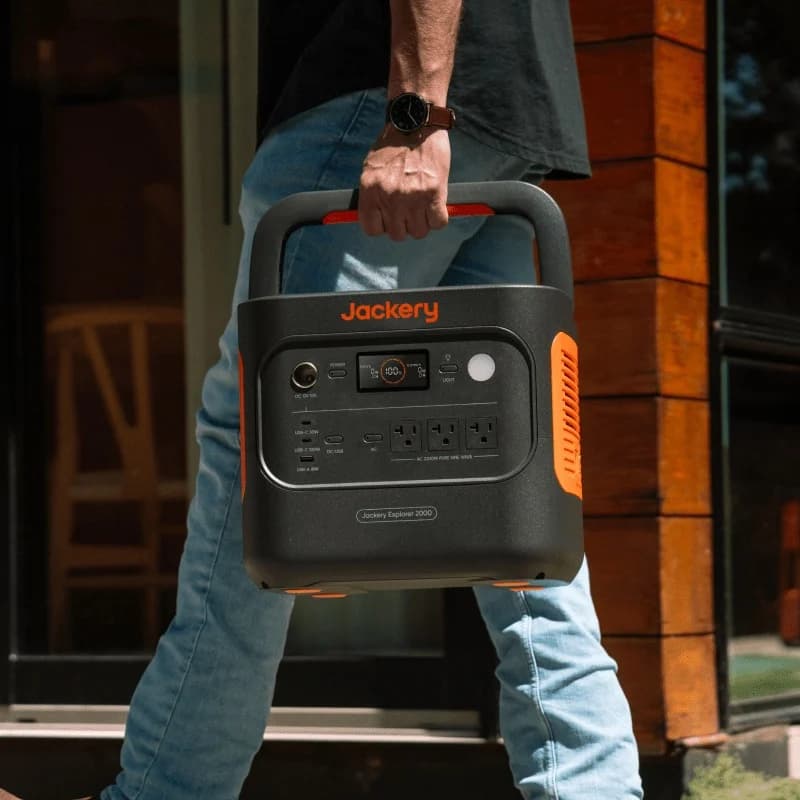
Jackery
A 2,042Wh LiFePO4 portable power station with 2,200W of AC output (4,400W surge peak), app-enabled 1.7-hour emergency charging and up to 400W of solar input.
Check package and model options
- 2,042 Wh capacity
- 2,200 W AC out
- LiFePO4
The manual conflicts with itself: the bypass specification is 12A, while the UPS explanation says 1,500W before an outage. At 120V, 12A × 120V = 1,440W as a nominal calculation. Until Jackery clarifies, size within the stated current limit and leave headroom instead of planning around the higher prose figure.
Energy Saving Mode defaults on and shuts outputs off after 12 hours at low loads; the AC threshold is 25W or less. Disable it for small or cycling loads using the manual's controls. “Always-on Display” is a screen setting, so it should not be your output-retention check.
Larger-system buyer: Anker SOLIX F3800 Plus
Buy this for its larger battery-powered system capabilities, then treat the plug-in UPS path separately. With ordinary 120V wall input, the three left sockets provide UPS; the TT-30R is usable without UPS, while the L14-30R and three right sockets are unavailable. The current FAQ makes those distinctions explicit.
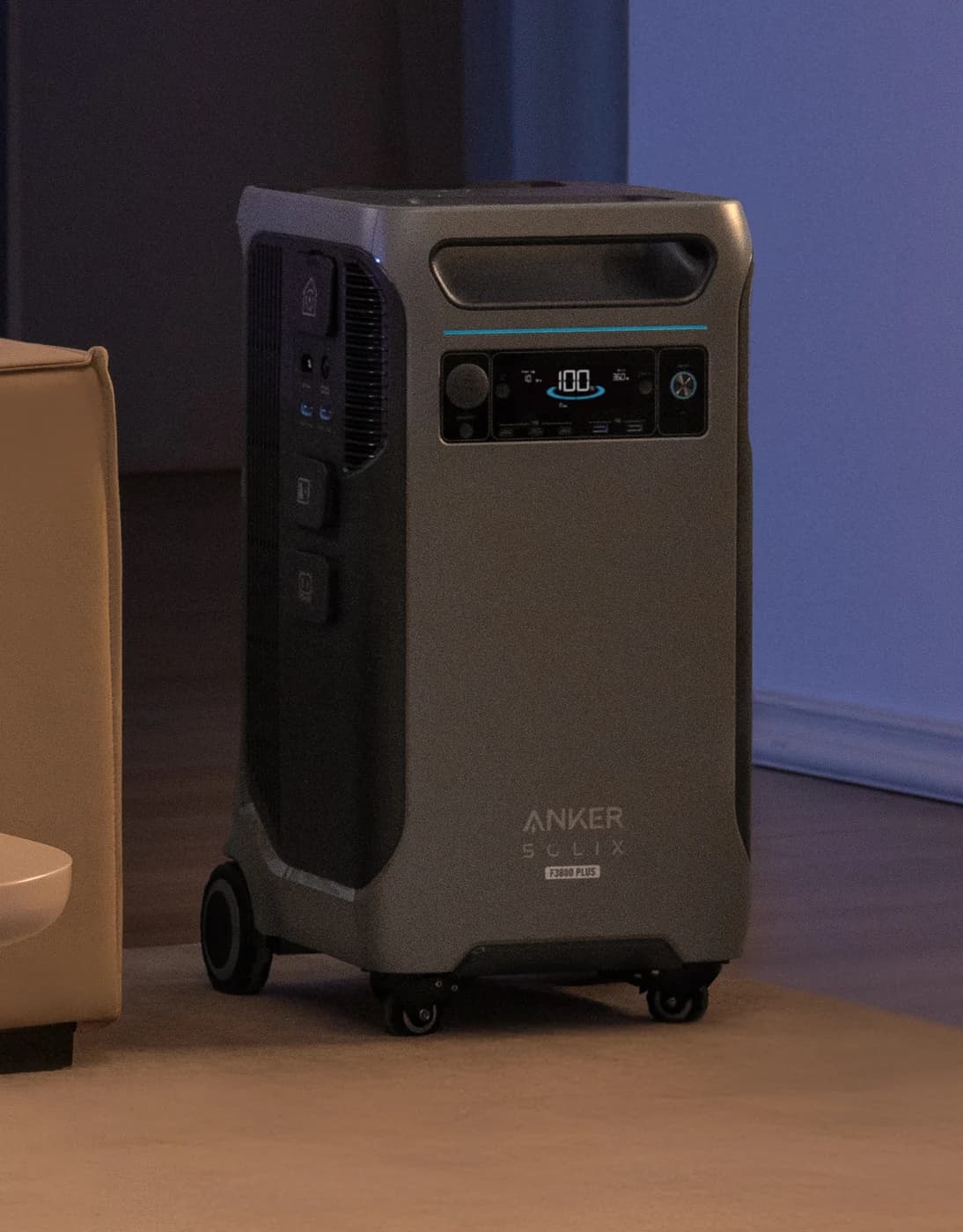
Anker SOLIX
A 3,840Wh LFP home-backup power station on wheels with 6,000W of 120V/240V output, up to 3,200W of solar input, a 6,000W generator/HPP bypass port and expansion with up to six BP3800 batteries.
Check package and model options
- 3,840 Wh capacity
- 6,000 W AC out
- LiFePO4
Generator bypass is another mode: Anker lists 30 ms from station to generator and 50 ms back for its described 120V-generator configuration. Do not apply the wall-input UPS figure to it. More consequential for unattended use, the technical guide requires manual AC reactivation after battery depletion when grid power returns.
Documented recovery: BLUETTI Apex 300
Its headline zero-transfer claim needs the conditions in the matrix. The 240V selector setting does not turn the ordinary sockets into 240V outlets: the manual's specification still identifies them as 120V, with lower current limits in that setting. Follow the US manual's outlet labels.
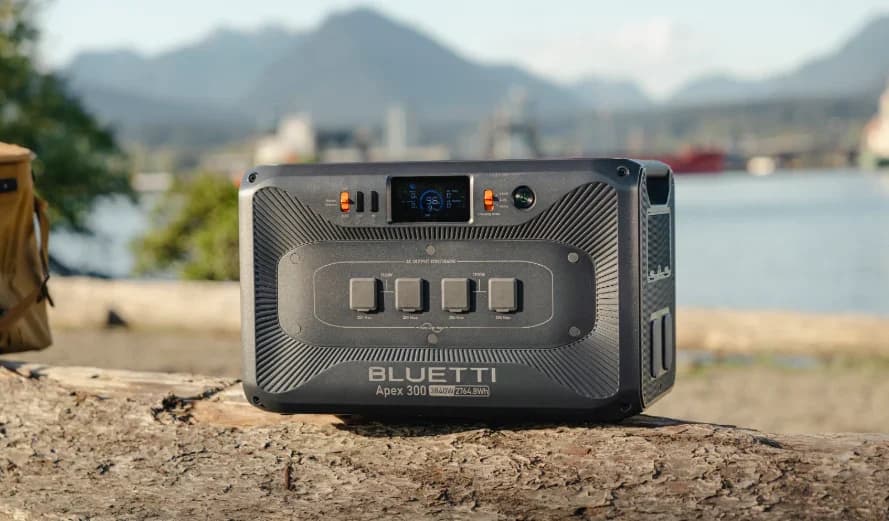
BLUETTI
A 2,764.8Wh LiFePO4 home-backup unit with 3,840W of AC output, a NEMA 14-50R and TT-30R, 2,400W of solar input and expansion with up to six B300K batteries per unit.
Check package and model options
- 2,764.8 Wh capacity
- 3,840 W AC out
- LiFePO4
Disable ECO mode for small or critical household loads; BLUETTI says AC-ECO is unavailable while AC charging, so verify behavior on battery too. The updated US manual's System Switch Recovery section says saved output states restore at 5% battery with grid connected. Without grid, recovery also requires at least 30 minutes since shutdown. Confirm that feature's setting before leaving it unattended.
Online outlet option: original EcoFlow DELTA Pro Ultra
Consider this when you also want a home-backup system and specifically need its online UPS outlets. The US specification separates 0 ms online from under-20 ms backup; an installed Smart Home Panel 2 system is separately advertised at 20 ms, so the online-outlet claim does not establish zero-transfer house circuits.
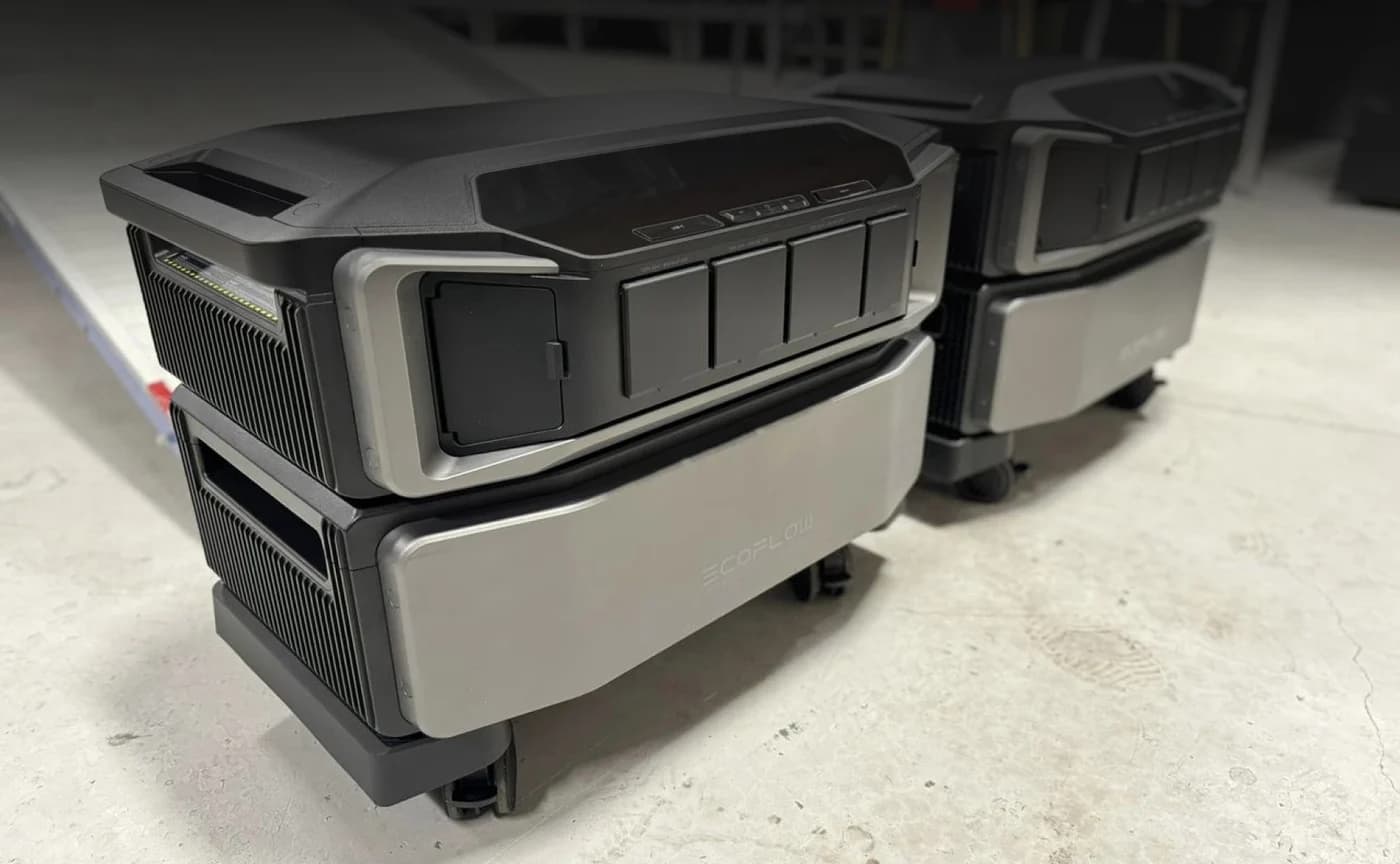
EcoFlow
EcoFlow DELTA Pro Ultra Whole-Home Backup (Inverter + 6kWh Battery)
A modular whole-home backup system pairing a 7,200W 120V/240V inverter with a 6,144Wh LFP battery, expandable to 30kWh per inverter, with up to 5,600W of solar input; listed by EcoFlow as UL 9540 certificated.
Check package and model options
- 6,144 Wh capacity
- 7,200 W AC out
- LiFePO4
The manual recommends Always On AC output for intermittent refrigerator loads. It also says to keep AC output off when charging through a high-voltage wall outlet. Do not generalize its standard-inlet UPS arrangement to every charging connection. Its output table's 30A bypass figure does not increase the standard inlet's separate 15A input limit.
Always-on and restart are separate settings
Use this checklist alongside the transfer table. An output staying enabled at low load does not establish that it will restart after depletion.
DELTA 3 Plus
- Low-load retention
- AC timeout “never”
- After depletion and return of grid power
- Output Port Memory restores documented states; timed-out and manually disabled ports are excluded
Explorer 2000 v2
- Low-load retention
- Disable Energy Saving Mode
- After depletion and return of grid power
- Automatic AC restart not explicitly promised in the cited manual; confirm with Jackery
F3800 Plus
- Low-load retention
- Turn off Smart AC Output Mode in the Anker app
- After depletion and return of grid power
- Manual AC reactivation required
Apex 300
- Low-load retention
- Disable ECO for small or critical loads
- After depletion and return of grid power
- Saved outputs restore at 5% with grid connected
Original DELTA Pro Ultra
- Low-load retention
- AC “Always On”
- After depletion and return of grid power
- Automatic AC restart after depletion not explicitly promised in the cited manual; confirm with EcoFlow
Full comparison table
Swipe to compare. Row labels stay visible.
| Station | Low-load retention | After depletion and return of grid power |
|---|---|---|
| DELTA 3 Plus | AC timeout “never” | Output Port Memory restores documented states; timed-out and manually disabled ports are excluded |
| Explorer 2000 v2 | Disable Energy Saving Mode | Automatic AC restart not explicitly promised in the cited manual; confirm with Jackery |
| F3800 Plus | Turn off Smart AC Output Mode in the Anker app | Manual AC reactivation required |
| Apex 300 | Disable ECO for small or critical loads | Saved outputs restore at 5% with grid connected |
| Original DELTA Pro Ultra | AC “Always On” | Automatic AC restart after depletion not explicitly promised in the cited manual; confirm with EcoFlow |
Scroll horizontally to see every column
| Station | Low-load retention | After depletion and return of grid power |
|---|---|---|
| DELTA 3 Plus | AC timeout “never” | Output Port Memory restores documented states; timed-out and manually disabled ports are excluded |
| Explorer 2000 v2 | Disable Energy Saving Mode | Automatic AC restart not explicitly promised in the cited manual; confirm with Jackery |
| F3800 Plus | Turn off Smart AC Output Mode in the Anker app | Manual AC reactivation required |
| Apex 300 | Disable ECO for small or critical loads | Saved outputs restore at 5% with grid connected |
| Original DELTA Pro Ultra | AC “Always On” | Automatic AC restart after depletion not explicitly promised in the cited manual; confirm with EcoFlow |
Buying and setup checks that matter
Match the variant. The table covers DELTA 3 Plus, Explorer 2000 v2 / JE-2000D, F3800 Plus, one US Apex 300 and the original Ultra with an inverter and battery. Do not transfer these instructions to look-alike generations, regional versions or expansion batteries. For Black Friday, match that identity and the included components before comparing offers; a panel bundle alone establishes no different UPS behavior.
Check the actual household load. For a refrigerator, check starting demand as well as running demand against both mode and outlet ratings. Use our refrigerator sizing guide and watt calculator for energy planning; milliseconds do not describe runtime. Jackery and BLUETTI explicitly restrict data servers/workstations requiring high-performance uninterrupted power. Computer UPS buying belongs on thisPING.
- Yes: Check appliance compatibility and its starting demand
- Yes: Confirm the protected outlet and input mode
- Yes: Check low-load timeout while operating on battery
- Partly: Automatic restart depends on model and settings
- No: Do not assume a zero-transfer badge overrides excluded loads
Check winter charging. DELTA 3 Plus and Explorer 2000 v2 specify a 32°F / 0°C minimum charging temperature; Apex 300 also starts its charging range there. The original Ultra documents battery self-heating, but its charging-heating sequence requires at least 250W input. Check the heater setting and actual charging status instead of assuming a cold station will refill.
Home-wiring connections require a licensed electrician and a permit where required. This guide covers selecting modes and plug-in loads, not wiring or panel installation.
How we choose
We compared official US manuals, specification sheets and port-condition guidance, with evidence checked November 2, 2026. Our picks prioritize documented behavior for the stated job; a shorter switching figure alone does not decide the recommendation. We have no physical test results for these stations. Conflicting manufacturer statements are identified above, and unspecified behavior should be confirmed with the maker rather than assumed.
Verdict
Start with DELTA 3 Plus for compatible household plug-in backup. Choose Apex 300 when its documented recovery conditions fit your unattended-use needs, or the original Ultra when its designated online outlets are part of a larger system you already need. Choose Jackery for more stored energy and Anker for the larger-system role only after accepting their bypass and restart limits.
Our picks at a glance
- 1
Choose for: 1,024 Wh of storage and 1,800 W continuous AC output in one expandable station.
Limit: The IP65 rating covers the battery pack only; the complete station is not weatherproof.
- 2
Choose for: 2,042 Wh and 2,200 W continuous output at about 39.5 lb.
Limit: Not expandable; solar input tops out at 400 W and there are three AC outlets.
- 3
Choose for: A larger backup system with solar and generator input options.
Limit: 240 V output is unavailable while charging from a 120 V outlet; no surge rating is published in the cited specs.
Show all 4 picks
- 4
Choose for: Long maker-rated cell cycle life for a backup plan.
Limit: USB and 12 V outputs require the separate Hub D1; the manual excludes server/workstation UPS use.
Frequently asked questions
Can a portable power station be used as a UPS?
Yes, when its manual supports powering AC loads while connected to mains and automatically transferring to battery. DELTA 3 Plus, for example, describes standby UPS operation with a 10 ms transfer. Check the exact outlets, bypass current and restart settings before relying on it. A UPS label alone does not establish compatibility with your appliance.
Is a 10 ms or 20 ms switchover fast enough?
It depends on the connected equipment. Treat the maker's transfer figure as a specification to check against the appliance maker's requirements. Jackery explicitly excludes data servers and workstations with high uninterruptible-power requirements from its Explorer 2000 v2 guidance. Confirm compatibility under controlled conditions before relying on a station, with important data already protected.
Can I leave a power station plugged in all the time?
The cited manuals support mains-connected backup use, but that does not make every outlet or setting suitable for unattended operation. Check AC timeout or ECO settings, charging temperature and the battery reserve. Also check what happens after depletion: the F3800 Plus guide requires manual AC reactivation, whereas Apex 300 documents conditional automatic recovery.
Will AC output restart when electricity returns?
Do not assume so. Anker's F3800 Plus technical guide says AC output must be turned on manually after the battery depletes. BLUETTI says Apex 300 restores saved output settings when connected to grid power and the battery reaches 5%. DELTA 3 Plus has an Output Port Memory setting with exceptions for manually disabled or timed-out ports.
Related guides
Comparison · Portable Power Stations
Anker SOLIX C2000 Gen 2 vs Jackery Explorer 2000 v2: Which to Buy?
Compare Anker C2000 Gen 2 and Jackery 2000 v2 for fridge backup, carrying, expansion and solar. Get runtime estimates, complete kit checks and buying picks.
Comparison · Portable Power Stations
Anker SOLIX C300X vs BLUETTI Elite 30 V2: Which Small Station?
Choose C300X or Elite 30 V2 for laptops, lights and small AC loads: compare USB-C sharing, runtime estimates, solar cables, model aliases and gift return traps.
Comparison · Portable Power Stations
AFERIY P280 vs Anker SOLIX C2000 Gen 2: Which Backup Kit Fits?

Compare the US AFERIY P280 and Anker C2000 Gen 2 for fridge backup: matching battery kits, runtime estimates, outlet limits, recharge needs and warranty gaps.