

Buying guide
Power Station Transfer Switch Buying Guide
Manual Kits and Smart Panels
Match your power station to a transfer switch or smart panel. Compare supported kits, voltage, cables, automatic backup and the parts to confirm before buying.
By thisWATT EditorialUpdated November 3, 20268 min read1 pick
Our recommendation: Anker SOLIX F3800 Plus
A larger backup system with solar and generator input options.
Limit: 240 V output is unavailable while charging from a 120 V outlet; no surge rating is published in the cited specs.
On this page · Our picks at a glance
Our picks at a glance
- 1
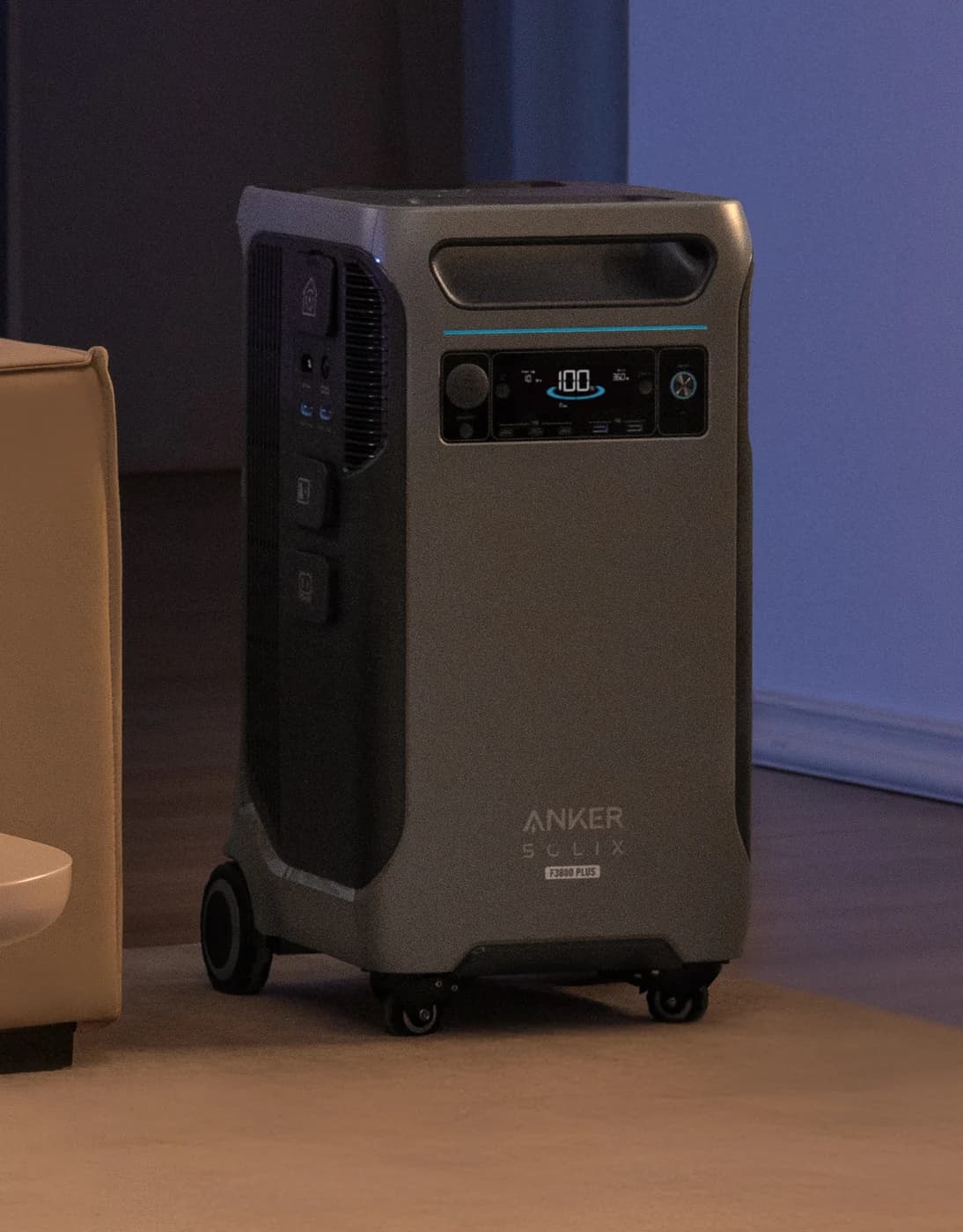
Choose for: A larger backup system with solar and generator input options.
Limit: 240 V output is unavailable while charging from a 120 V outlet; no surge rating is published in the cited specs.
If you can attend an outage, buy a manual kit matched to your exact station: for a single Anker SOLIX F3800 Plus, our clearest choice is Anker's ten-circuit package with a 30 Amp cable. For automatic backup, choose Smart Home Panel 2 for EcoFlow DELTA Pro 3, Home Power Panel for Anker's F3800 family, or JA-TS02A for Jackery Explorer 5000 Plus, subject to the conditions below. Have a licensed electrician approve the complete arrangement and determine permit requirements before ordering.
Quick picks: start with the station you own
Compare specifications and all conditions
Anker F3000, F2600 or F2000
- Connection to shortlist
- Anker six-circuit manual switch
- Transfer
- Manual
- Documented provision
- 120V offer; 125V switch rating, L5-30 inlet
All specifications
- Purchase check
- Confirm the matching source cord; this is the single-voltage option
One Anker F3800 Plus
- Connection to shortlist
- Ten-circuit switch + 30 Amp cable
- Transfer
- Manual
- Documented provision
- 120/240V; ten circuit positions
All specifications
- Purchase check
- Select the F3800 Plus version, not the similarly named 50 Amp package
EcoFlow DELTA Pro 3
- Connection to shortlist
- Smart Home Panel 2
- Transfer
- Automatic
- Documented provision
- 120/240V; twelve load branches
All specifications
- Purchase check
- Both panel modules, correct power input/output cable and station count
Anker F3800 / F3800 Plus
- Connection to shortlist
- Home Power Panel / Smart Home Power Kit
- Transfer
- Automatic
- Documented provision
- 120/240V split phase; backup load center required
All specifications
- Purchase check
- Subpanel, station cables and the exact package contents
Jackery Explorer 5000 Plus
- Connection to shortlist
- Smart Transfer Switch JA-TS02A
- Transfer
- Automatic, mode dependent
- Documented provision
- Up to twelve 120V or six 240V circuits
All specifications
- Purchase check
- UPS setting, charging behavior and cable quantity
Full comparison table
Swipe to compare. Row labels stay visible.
| Your station | Connection to shortlist | Transfer | Documented provision | Purchase check |
|---|---|---|---|---|
| Anker F3000, F2600 or F2000 | Anker six-circuit manual switch | Manual | 120V offer; 125V switch rating, L5-30 inlet | Confirm the matching source cord; this is the single-voltage option |
| One Anker F3800 Plus | Ten-circuit switch + 30 Amp cable | Manual | 120/240V; ten circuit positions | Select the F3800 Plus version, not the similarly named 50 Amp package |
| EcoFlow DELTA Pro 3 | Smart Home Panel 2 | Automatic | 120/240V; twelve load branches | Both panel modules, correct power input/output cable and station count |
| Anker F3800 / F3800 Plus | Home Power Panel / Smart Home Power Kit | Automatic | 120/240V split phase; backup load center required | Subpanel, station cables and the exact package contents |
| Jackery Explorer 5000 Plus | Smart Transfer Switch JA-TS02A | Automatic, mode dependent | Up to twelve 120V or six 240V circuits | UPS setting, charging behavior and cable quantity |
Scroll horizontally to see every column
| Your station | Connection to shortlist | Transfer | Documented provision | Purchase check |
|---|---|---|---|---|
| Anker F3000, F2600 or F2000 | Anker six-circuit manual switch | Manual | 120V offer; 125V switch rating, L5-30 inlet | Confirm the matching source cord; this is the single-voltage option |
| One Anker F3800 Plus | Ten-circuit switch + 30 Amp cable | Manual | 120/240V; ten circuit positions | Select the F3800 Plus version, not the similarly named 50 Amp package |
| EcoFlow DELTA Pro 3 | Smart Home Panel 2 | Automatic | 120/240V; twelve load branches | Both panel modules, correct power input/output cable and station count |
| Anker F3800 / F3800 Plus | Home Power Panel / Smart Home Power Kit | Automatic | 120/240V split phase; backup load center required | Subpanel, station cables and the exact package contents |
| Jackery Explorer 5000 Plus | Smart Transfer Switch JA-TS02A | Automatic, mode dependent | Up to twelve 120V or six 240V circuits | UPS setting, charging behavior and cable quantity |
These are US buying paths. The product cards below identify the stations alone; their accessory links identify the connection equipment. A station card does not establish the contents of a home-backup bundle.
For complete battery-and-inverter choices, use our home battery backup comparison. This page is the accessory purchase worksheet.
Best manual pairing: Anker F3800 Plus with the correct cable package
For one F3800 Plus, shortlist Anker's ten-circuit transfer switch with 30 Amp cable. Its title also identifies a separate application with two F3000 stations and a Double Power Hub. The listed package establishes a switch and cable; request the exact cable ends, length and any separate inlet equipment in your bill of materials.
The similar names hide a real compatibility trap. Anker's 50 Amp package has broad feature copy naming F3800 Plus, but its selector explicitly says “Not Suitable for Single F3800 Plus.” That selector distinguishes F3800 or two F3800 Plus units from the single-Plus cable package. Get the selected version written into the order.
The station's specification rates its L14-30R at 120/240V, 25A and 6,000W maximum. A connector or accessory's larger rating does not increase that source limit. Anker also says this outlet is unavailable when the station is plugged into a 120V wall outlet without a generator connection: include the charging plan in the compatibility check.
Anker SOLIX
A 3,840Wh LFP home-backup power station on wheels with 6,000W of 120V/240V output, up to 3,200W of solar input, a 6,000W generator/HPP bypass port and expansion with up to six BP3800 batteries.
Check package and model options
- 3,840 Wh capacity
- 6,000 W AC out
- LiFePO4
For automatic backup instead: Anker's Home Power Panel supports F3800 and F3800 Plus, including both generations together, according to the Plus FAQ. It supports 120/240V split phase only, not 120/208V. The current kit title includes the panel, subpanel, circuit breaker and ground bar. Its owner manual calls the twelve-circuit load center optional, then says Backup mode requires it. For a backup purchase, require that load center and the F3800-to-panel cables in the quote.
Anker also says rooftop-solar charging through Home Power Panel is unavailable during an outage. Have the electrician document any intended outage-recharging arrangement. Our F3800 variants guide covers station-generation differences.
Best automatic pairing for DELTA Pro 3: EcoFlow Smart Home Panel 2
Buy Panel 2 for the documented Pro 3 arrangement. EcoFlow's current online owner manual supports up to three Pro 3 stations, but says they cannot share this panel with original DELTA Pro or DELTA Pro Ultra stations. Its twelve load branches are circuit provision, not a promise that every chosen appliance can run together.
The Panel 2 package page describes separate distribution-panel and battery-connection-box modules, and lists an EcoFlow Power Input/Output Cable in the box. Confirm both modules and the cable quantity for your station count. The online manual warns that using the Pro 3's dedicated AC POWER IN / OUT panel connection disables its ordinary AC input and output sockets; plan charging and portable use around that restriction.
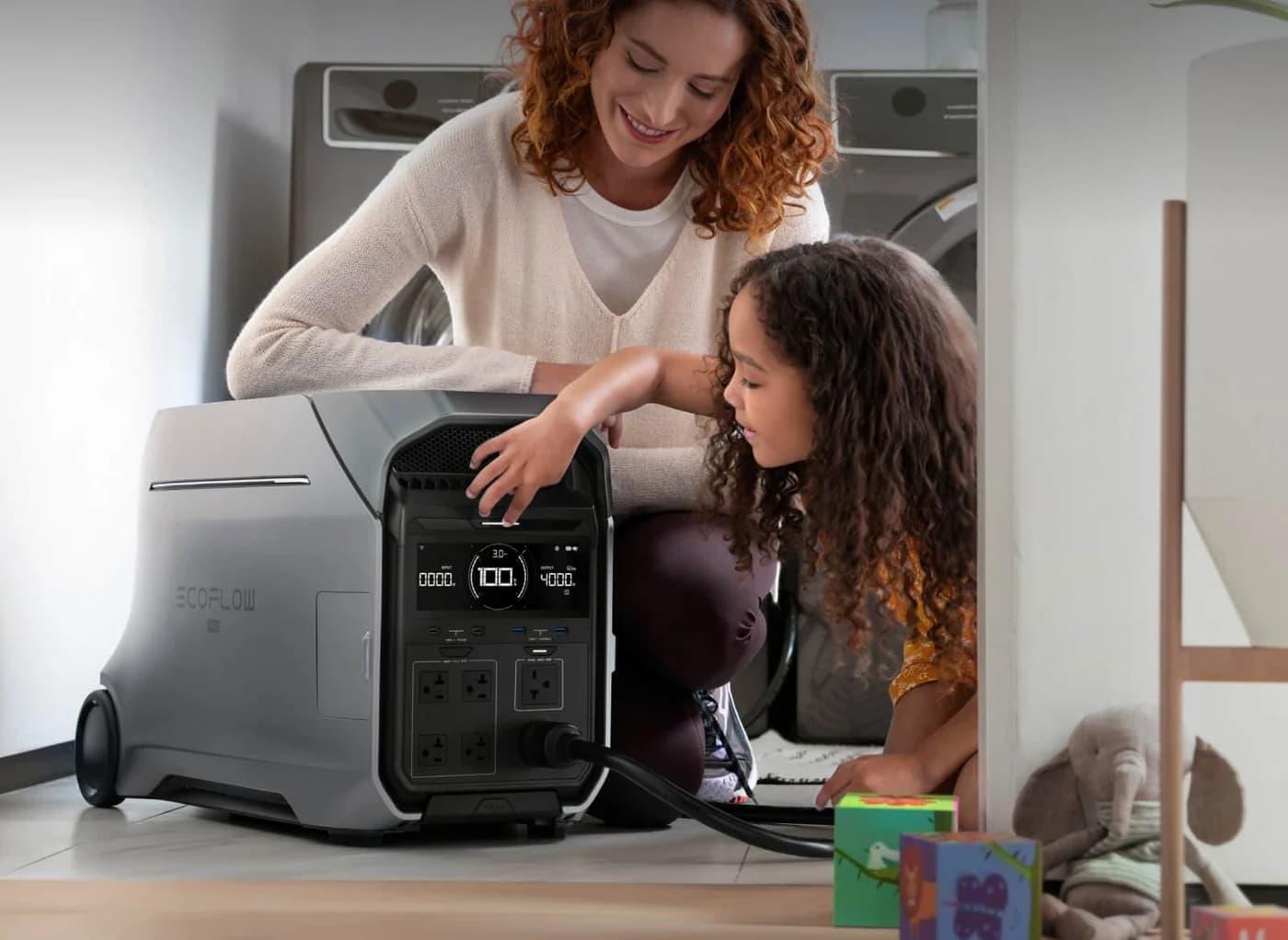
EcoFlow
A 4,096Wh LFP home-backup power station with 4,000W of 120V/240V output (8,000W surge), 2,600W of dual solar input and expansion to 12kWh per unit, listed by EcoFlow as UL 9540 certificated.
Check package and model options
- 4,096 Wh capacity
- 4,000 W AC out
- LiFePO4
Do not choose by generation number. EcoFlow's Panel 3 page describes thirty-two independently controlled circuits and an Ultra X system. Our purchase recommendation for Pro 3 remains the explicitly documented Panel 2 pairing; the Panel 3 headline does not establish Pro 3 compatibility. For Ultra-family panels and connection equipment, continue to our EcoFlow DELTA Pro backup systems guide.
Best automatic pairing for Explorer 5000 Plus: Jackery JA-TS02A
Jackery's Smart Transfer Switch and JA-TS02A manual document up to two Explorer 5000 Plus stations. The switch supports up to twelve 120V circuits or six 240V circuits, with mixed configurations available for professional allocation. Jackery says it is not waterproof; plan an appropriate protected location with the installer.
Automatic does not mean the same delay in every mode. Jackery specifies transfer within 20 ms with UPS enabled in the app; the manual additionally requires the station to be on and not charging. The product FAQ says approximately one second while charging, or five seconds with UPS disabled. Those conditions belong in the purchase decision if a brief interruption matters.
The package list names a Power Input/Output Cable. Have the seller confirm enough cables for your chosen station count. The station's own manual rates its 120/240V AC output at 30A and 7,200W maximum; the switch's ratings are separate limits.
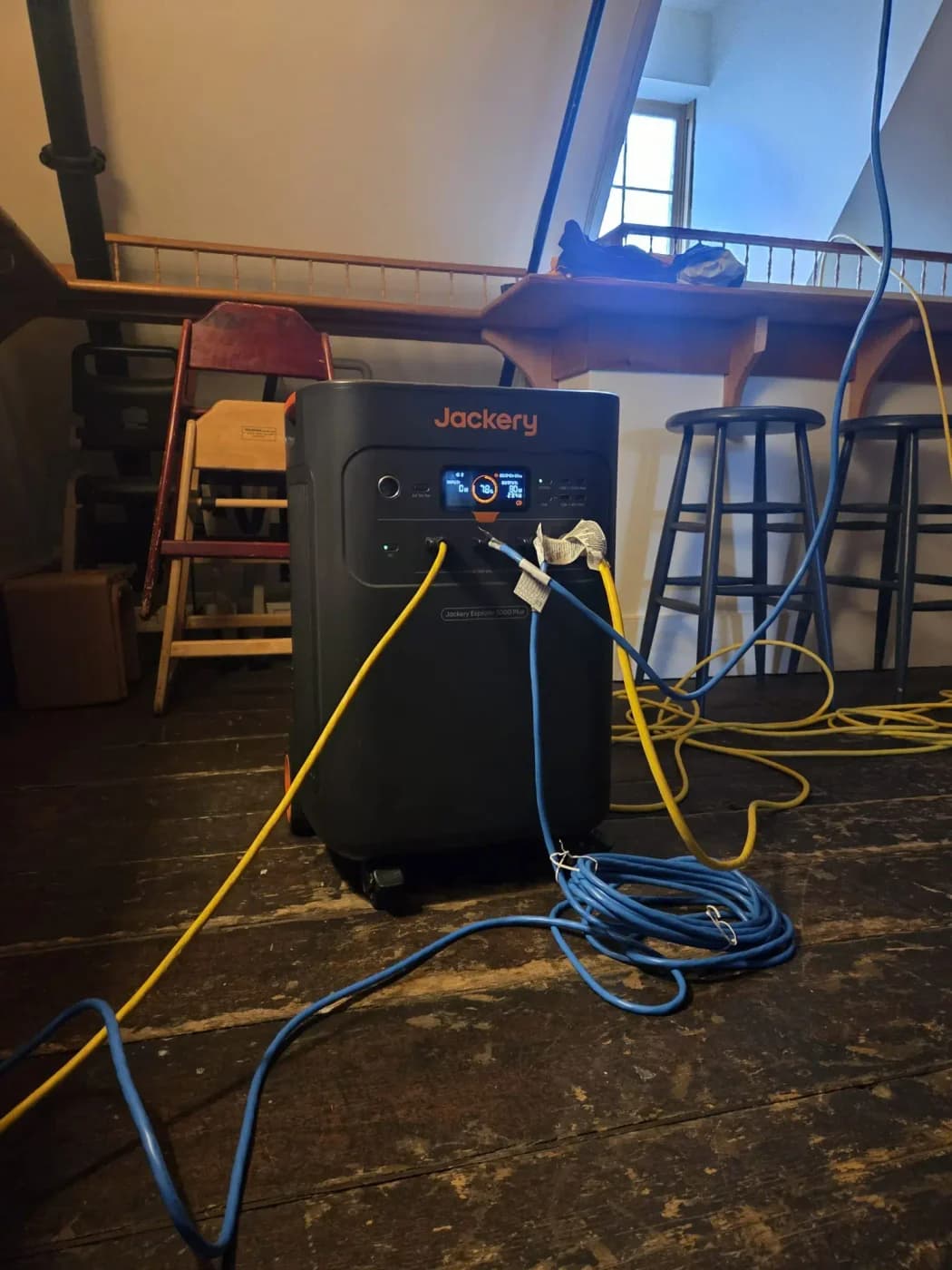
Jackery
A 5,040Wh LiFePO4 home-backup power station with 7,200W of 120V/240V output (14,400W surge), up to 4,000W of solar input, 0 ms online UPS and expansion with Battery Pack 5000 Plus.
Check package and model options
- 5,040 Wh capacity
- 7,200 W AC out
- LiFePO4
For attended backup, Jackery also lists a 240V manual-transfer accessory for 5000 Plus in its accessory navigation. Match that exact application and obtain the inlet and cord specifications before substituting it for the smart switch. Our Explorer 5000 Plus system guide covers the wider station-and-battery choices.
A useful smaller option: Anker's six-circuit 120V manual switch
For an existing F3000, F2600 or F2000, Anker documents a six-circuit manual switch with an L5-30 inlet, wattmeters and six 15A single-pole circuits. Its title markets the application as 120V and the accessory description rates the switch at 125V. Choose it for the documented single-voltage application; a 240V load requires a different supported arrangement.
Confirm the power cord separately: the accessory-specific description does not provide a complete cord specification. The F2000 capacity and inverter text farther down that page also does not establish that a station comes with the switch.
Manual switch, inlet or smart panel: what changes the purchase?
A manual arrangement requires someone to operate the transfer equipment. A supported automatic panel handles the changeover under its documented operating conditions; Jackery's mode restrictions above show why that qualifier matters.
An inlet is the cable connection point, not the utility-isolation device. EcoFlow's transfer-switch explanation distinguishes the inlet from the switch and explains that isolation prevents backfeeding into utility lines. Ask the electrician to identify the isolation equipment in the complete proposal. Never treat an inlet-and-cord offer as the entire home connection.
- Yes: Manual kit: suitable when you can attend and operate the transfer equipment
- Yes: Automatic panel: choose a maker-documented station pairing and operating mode
- Partly: Matching connector: electrical compatibility still needs confirmation
- No: Inlet and cord alone: do not establish utility isolation
Fill in this compatibility sheet before ordering
Take the source documents and this sheet to a licensed electrician; home-circuit installation and any required permit belong with that professional.
Exact station, US model and quantity: ___
- Evidence to request
- Maker's supported switch/panel pairing and required firmware
House supply and backed-up loads: ___
- Evidence to request
- Service voltage, required output voltage, circuit allocation, running and starting-load assessment
Source port → cord → inlet/device: ___
- Evidence to request
- Connector names at both ends, cable rating and length; neutral/ground and protective-device compatibility confirmed by the electrician
Every included part and quantity: ___
- Evidence to request
- Switch/panel, connection box, subpanel, inlet, station cables, required hub and batteries, each itemized
Outage and recharge behavior: ___
- Evidence to request
- Automatic/manual behavior, enabled mode, charging restrictions, and whether planned solar remains available
Listing, location and approvals: ___
- Evidence to request
- Exact equipment/system certification documents, permitted location, installer scope, permit and inspection requirements
Full comparison table
Swipe to compare. Row labels stay visible.
| Write into the quote | Evidence to request |
|---|---|
| Exact station, US model and quantity: ___ | Maker's supported switch/panel pairing and required firmware |
| House supply and backed-up loads: ___ | Service voltage, required output voltage, circuit allocation, running and starting-load assessment |
| Source port → cord → inlet/device: ___ | Connector names at both ends, cable rating and length; neutral/ground and protective-device compatibility confirmed by the electrician |
| Every included part and quantity: ___ | Switch/panel, connection box, subpanel, inlet, station cables, required hub and batteries, each itemized |
| Outage and recharge behavior: ___ | Automatic/manual behavior, enabled mode, charging restrictions, and whether planned solar remains available |
| Listing, location and approvals: ___ | Exact equipment/system certification documents, permitted location, installer scope, permit and inspection requirements |
Scroll horizontally to see every column
| Write into the quote | Evidence to request |
|---|---|
| Exact station, US model and quantity: ___ | Maker's supported switch/panel pairing and required firmware |
| House supply and backed-up loads: ___ | Service voltage, required output voltage, circuit allocation, running and starting-load assessment |
| Source port → cord → inlet/device: ___ | Connector names at both ends, cable rating and length; neutral/ground and protective-device compatibility confirmed by the electrician |
| Every included part and quantity: ___ | Switch/panel, connection box, subpanel, inlet, station cables, required hub and batteries, each itemized |
| Outage and recharge behavior: ___ | Automatic/manual behavior, enabled mode, charging restrictions, and whether planned solar remains available |
| Listing, location and approvals: ___ | Exact equipment/system certification documents, permitted location, installer scope, permit and inspection requirements |
EcoFlow explicitly warns that a power station's transfer-switch compatibility depends on switch design, neutral configuration and local requirements. A matching receptacle alone cannot settle those questions.
For certification, UL Solutions explains that portable-power-pack certification to UL 2743 plus a panel certified to UL 1741 does not establish certification of a stationary residential storage system to UL 9540. Ask the electrician and local authority to confirm the exact proposed system and documents; a component's mark is insufficient evidence for the entire arrangement.
Identify the station
Copy its exact model and the maker's supported home-connection documents.
Choose outage behavior
Decide whether someone will operate the switch; check automatic mode and charging conditions.
Approve the complete quote
Have the electrician confirm compatibility, parts, certification documents and required approvals before ordering.
How we choose
We prioritize documented station compatibility, complete purchase requirements and mode restrictions, using official product pages, owner manuals and UL's certification explanation. These recommendations come from source research, with no physical product testing. Where a maker's page conflicts with itself, we identify the conflict and require confirmation of the selected package. Accessory links go to the manufacturers so you can confirm the exact package.
Verdict
For one F3800 Plus, start with the ten-circuit manual kit with 30 Amp cable when attended transfer fits your needs. Choose Panel 2 for Pro 3, Home Power Panel for the F3800 family, or JA-TS02A for Explorer 5000 Plus for their documented automatic arrangements. Order after the electrician confirms the exact station, operating mode and complete parts list.
Frequently asked questions
Can any transfer switch work with a portable power station?
Do not assume compatibility from a matching plug. EcoFlow says power-station compatibility depends on switch design, neutral configuration and local requirements. Start with an arrangement the station maker documents, then have a licensed electrician confirm the source, transfer equipment, inlet and cord together. Ask for the exact models and required certification documents in the quote before purchasing.
Does a power inlet box replace a transfer switch?
No. The inlet provides the connection point for the source cable; transfer equipment provides the isolation between utility and backup power. EcoFlow explains that isolation prevents backfeeding into utility lines. Ask the electrician to identify both functions in the proposed arrangement. A listing that includes an inlet and cable still needs the appropriate transfer equipment for a home-circuit connection.
Which EcoFlow smart home panel should I buy for DELTA Pro 3?
Smart Home Panel 2 is the documented pairing covered here. Its current online manual supports DELTA Pro 3 but prohibits mixing it with DELTA Pro or DELTA Pro Ultra on that panel. The dedicated panel connection also disables the Pro 3's AC input and output sockets. Do not substitute Panel 3 based on its generation number; get explicit model compatibility before ordering.
Will Jackery's Smart Transfer Switch change over in 20 ms?
Jackery makes that timing conditional. UPS must be enabled in the app, and the connected Explorer 5000 Plus must be on and not charging. The product FAQ gives approximately one second when the station is charging and approximately five seconds with UPS disabled. Check the installed system's configured behavior rather than applying a station-outlet UPS specification to the house connection.
Anker SOLIX F3800 Plus
AmazonRelated guides
Comparison · Home Backup Batteries
Goal Zero Yeti PRO 4000 vs EcoFlow DELTA Pro 3: Complete Systems
Compare Yeti PRO 4000 and DELTA Pro 3 by voltage, batteries, solar and home connection kits. Choose the complete backup system that fits your loads and space.
Comparison · Home Backup Batteries
BLUETTI Apex 300 vs EcoFlow DELTA Pro 3: Essential Backup Compared
Choose BLUETTI Apex 300 or EcoFlow DELTA Pro 3 for essential backup with matched battery kits, outlet limits, runtime estimates and home connection checks.
Comparison · Home Backup Batteries
EcoFlow DELTA Pro 3 vs Anker SOLIX F3800 Plus: Complete Backup Kits
Choose the right EcoFlow or Anker backup kit with matched battery and panel lists, overnight energy estimates, charging restrictions and checks before you buy.