

Best picks
Best Power Stations for Laptops
Ports, Cables and Runtime
Choose a power station for your laptop by USB-C profiles, shared-port limits and realistic runtime, with clear picks, cable advice and AC charger fallbacks.
By thisWATT EditorialUpdated November 3, 20268 min read1 pick
Our recommendation: EcoFlow RIVER 3 Plus
A smaller station with optional stacked battery expansion.
Limit: The stated 858 Wh total requires the separate 572 Wh EB600 battery.
On this page · Our picks at a glance
Our picks at a glance
- 1
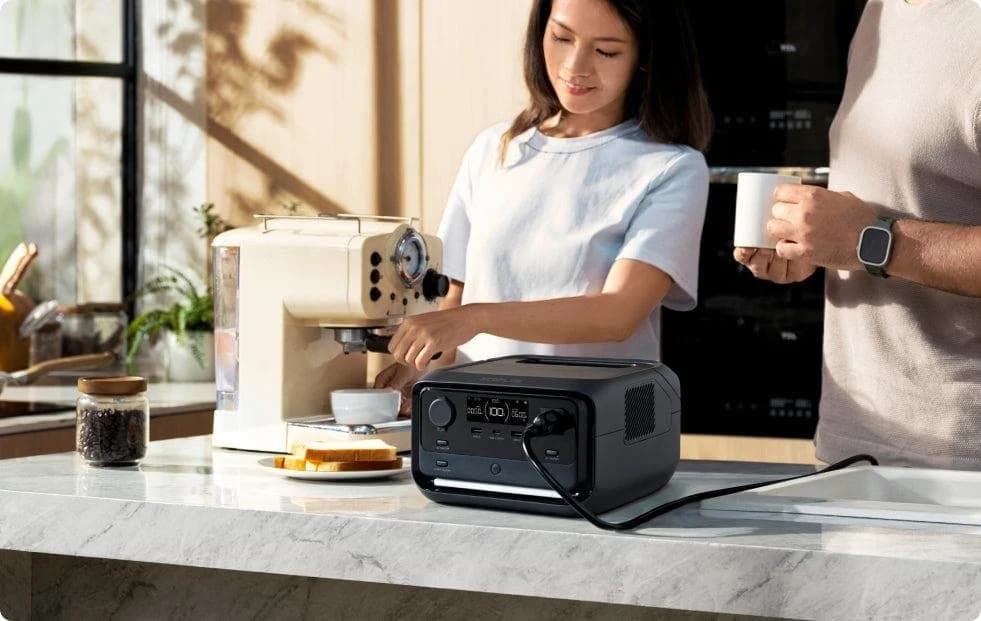
Choose for: A smaller station with optional stacked battery expansion.
Limit: The stated 858 Wh total requires the separate 572 Wh EB600 battery.
For a compatible laptop needing up to 100W USB-C, our small-station pick is the EcoFlow RIVER 3 Plus: 286Wh with 600W continuous AC for the original charger when needed. Choose the Anker SOLIX C1000 Gen 2 for longer sessions or more laptop connections: 1,024Wh and two USB-C ports rated up to 140W each, subject to the sharing checks below.
Only need USB-C top-ups? Start with thisUSB's power-bank guide. Buy an AC-capable station when your kit includes a mains charger, monitor or other equipment, or you need more stored energy.
Quick picks and comparison
These are manufacturer specifications for US models. The C300X is a conditional option because Anker's US page says sold out; Jackery's specifications are verified, but current US availability is unconfirmed.
Compare specifications and all conditions
EcoFlow RIVER 3 Plus
- Our recommendation
- Best small laptop station
- Capacity
- 286Wh
- Continuous AC
- 600W
All specifications
- Carry weight
- About 10.36 lb
Anker SOLIX C1000 Gen 2
- Our recommendation
- Best for longer sessions
- Capacity
- 1,024Wh
- Continuous AC
- 2,000W
All specifications
- Carry weight
- 24.9 lb
Anker SOLIX C300X AC
- Our recommendation
- Compact dual-laptop alternative, if available
- Capacity
- 288Wh
- Continuous AC
- 300W
All specifications
- Carry weight
- 9.1 lb
Jackery Explorer 300 v2
- Our recommendation
- Lighter alternative; confirm availability
- Capacity
- 288Wh
- Continuous AC
- 300W
All specifications
- Carry weight
- 3.7kg
Full comparison table
Swipe to compare. Row labels stay visible.
| Station | Our recommendation | Capacity | Continuous AC | Carry weight |
|---|---|---|---|---|
| EcoFlow RIVER 3 Plus | Best small laptop station | 286Wh | 600W | About 10.36 lb |
| Anker SOLIX C1000 Gen 2 | Best for longer sessions | 1,024Wh | 2,000W | 24.9 lb |
| Anker SOLIX C300X AC | Compact dual-laptop alternative, if available | 288Wh | 300W | 9.1 lb |
| Jackery Explorer 300 v2 | Lighter alternative; confirm availability | 288Wh | 300W | 3.7kg |
Scroll horizontally to see every column
| Station | Our recommendation | Capacity | Continuous AC | Carry weight |
|---|---|---|---|---|
| EcoFlow RIVER 3 Plus | Best small laptop station | 286Wh | 600W | About 10.36 lb |
| Anker SOLIX C1000 Gen 2 | Best for longer sessions | 1,024Wh | 2,000W | 24.9 lb |
| Anker SOLIX C300X AC | Compact dual-laptop alternative, if available | 288Wh | 300W | 9.1 lb |
| Jackery Explorer 300 v2 | Lighter alternative; confirm availability | 288Wh | 300W | 3.7kg |
Best small laptop station: EcoFlow RIVER 3 Plus
Choose this for a single USB-C laptop plus modest accessories, or a laptop whose original brick needs AC. Its manual rates USB-C at 20V/5A, 100W maximum, AC at 600W total, and whole-station output at 760W. There is only one USB-C output; a second laptop would need another supported charging path.
EcoFlow
A 10.4 lb, 286Wh LiFePO4 power station with 600W of AC output, a sub-10 ms UPS switchover, one-hour wall charging and expansion to 858Wh with a stackable extra battery.
Check package and model options
- 286 Wh capacity
- 600 W AC out
- LiFePO4
The limitation is energy: use the estimates below before expecting a whole working day. Buy the 286Wh RIVER 3 Plus covered here; the same manual also covers a 268Wh “RIVER 3 Plus (270)”. Our RIVER family guide explains the other names and battery bundles.
Best for longer work sessions: Anker SOLIX C1000 Gen 2
Choose the C1000 Gen 2 when capacity matters more than carrying weight. Its 1,024Wh battery and 24.9 lb weight are a substantial step up from the small stations. The US kit manual's station specifications identify C2 and C3 as 140W outputs; C1 is the low-power port. The store's shorter specification table only prints C2, so use the manual for the complete port map.
The manual gives each high-power port's ceiling without a separate combined C2+C3 guarantee. If both laptops must receive maximum power simultaneously, confirm that operating case with Anker before buying. USB-C is output only, and the station does not expand. Our C1000 generation guide separates it from the original model.
Conditional compact alternative: Anker SOLIX C300X AC
The exact US record is SKU A1723111, with AC outlets. Its US manual lists 288Wh, 9.1 lb, two 140W USB-C outputs and a 360W total output ceiling. That port arrangement is attractive for two laptops, but Anker's US store says sold out. Check availability before choosing it over the main picks.
Use 300W continuous AC for charger compatibility. Anker's product page calls 600W “surge”; its manual describes 600W SurgePad and warns that this mode does not support devices with strict voltage requirements. Do not treat it as extra computer capacity.
The C300 DC is explicitly DC-only. Check the AC label, US outlet version and exact SKU; a similar name does not establish the same ports or box contents.
Alternative to check: Jackery Explorer 300 v2
Jackery's official specification sheet identifies JE-300C, 288Wh, 3.7kg, 300W AC, a 100W C1 and 15W C2. USB-C input is also rated 100W. It is a useful comparison if carry weight matters, but confirm current US availability before ordering; it is not a main purchase pick here. Do not substitute the original Explorer 300 for this v2 record.
USB-C profiles and simultaneous-port worksheet
The profiles below come from the RIVER manual, C1000 manual, C300X manual and Jackery sheet. They are ceilings, not a promise that a laptop requests maximum power.
RIVER 3 Plus
- Exact laptop-port profiles
- USB-C: 5/9/12/15V at up to 3A; 20V at up to 5A; 100W max
- Other USB and shared limits
- USB-A: 12W per port, 24W total; whole station 760W
C1000 Gen 2
- Exact laptop-port profiles
- C2 and C3 each: 5/9/15V at 3A; 20V at 3A or 5A; 28V at 5A; 140W max
- Other USB and shared limits
- C1: 5V/3A, 15W; USB-A: 12W; together C1+A share 20W. No separate C2+C3 combined guarantee stated
C300X AC
- Exact laptop-port profiles
- C2 and C3 each: 5/9/15V at 3A; 20/28V at 5A; 140W max
- Other USB and shared limits
- C1: 5V/3A, 15W; USB-A: 12W; C1+A share 20W; whole station 360W
Explorer 300 v2
- Exact laptop-port profiles
- C1: 5/9/12/15V at 3A; 20V at 5A; 100W max
- Other USB and shared limits
- C2: 5V/3A, 15W; USB-A: 15W. Combined USB budget not stated in cited sheet
Full comparison table
Swipe to compare. Row labels stay visible.
| Station | Exact laptop-port profiles | Other USB and shared limits |
|---|---|---|
| RIVER 3 Plus | USB-C: 5/9/12/15V at up to 3A; 20V at up to 5A; 100W max | USB-A: 12W per port, 24W total; whole station 760W |
| C1000 Gen 2 | C2 and C3 each: 5/9/15V at 3A; 20V at 3A or 5A; 28V at 5A; 140W max | C1: 5V/3A, 15W; USB-A: 12W; together C1+A share 20W. No separate C2+C3 combined guarantee stated |
| C300X AC | C2 and C3 each: 5/9/15V at 3A; 20/28V at 5A; 140W max | C1: 5V/3A, 15W; USB-A: 12W; C1+A share 20W; whole station 360W |
| Explorer 300 v2 | C1: 5/9/12/15V at 3A; 20V at 5A; 100W max | C2: 5V/3A, 15W; USB-A: 15W. Combined USB budget not stated in cited sheet |
Scroll horizontally to see every column
| Station | Exact laptop-port profiles | Other USB and shared limits |
|---|---|---|
| RIVER 3 Plus | USB-C: 5/9/12/15V at up to 3A; 20V at up to 5A; 100W max | USB-A: 12W per port, 24W total; whole station 760W |
| C1000 Gen 2 | C2 and C3 each: 5/9/15V at 3A; 20V at 3A or 5A; 28V at 5A; 140W max | C1: 5V/3A, 15W; USB-A: 12W; together C1+A share 20W. No separate C2+C3 combined guarantee stated |
| C300X AC | C2 and C3 each: 5/9/15V at 3A; 20/28V at 5A; 140W max | C1: 5V/3A, 15W; USB-A: 12W; C1+A share 20W; whole station 360W |
| Explorer 300 v2 | C1: 5/9/12/15V at 3A; 20V at 5A; 100W max | C2: 5V/3A, 15W; USB-A: 15W. Combined USB budget not stated in cited sheet |
First record the laptop maker's recommended charger and charging connector. For a Mac, Apple explains how to find negotiated wattage under System Information → Power → AC Charger Information. Check your laptop's manual for which connector accepts charging.
Laptop path
Record the required voltage, watts, charging connector and cable rating. Choose USB-C or the original AC brick.
Simultaneous ports
Assign every laptop, phone and accessory to a named port. Check individual and shared limits.
Energy budget
Record average combined watts, working hours, reserve and the next realistic recharge opportunity.
For example, 100W on C2 + 100W on C3 + 200W AC = 400W: that exceeds the C300X's 360W total, even though each connection is below its individual rating. This is an illustrative load, not a measured laptop setup. Size with continuous AC watts; boost modes are unsuitable as your computer's power budget.
The cable to add: Anker A82E2, 6 ft, 240W
For these laptop ports, our accessory choice is the Anker USB-C to USB-C Cable, 240W, Upcycled-Braided, selecting the 6 ft version. Anker rates it for 240W and 480 Mbps, and says it does not support screen mirroring. Treat it as a charging cable; use a suitable separate connection for a monitor.
The C300X manual requires a 5A cable for 20V/5A, 100W or 28V/5A, 140W. For a new high-power cable, look for a 240W EPR rating; USB-IF's certification rules distinguish 60W and 240W cable markings. A 60W-rated cable cannot provide a 100W charging path. The cable cannot raise a station port's ceiling or establish laptop compatibility.
MacBook generation matters: Apple's fast-charge combinations specify 140W plus USB-C to MagSafe 3 for supported 16-inch models; the 240W USB-C cable option applies to 16-inch November 2023 or later models. Do not assume a generic USB-C cable reproduces every MagSafe fast-charge combination.
Runtime estimates: keep USB-C and AC separate
Estimated hours = capacity Wh × delivered-energy allowance ÷ average combined load W. Watts and watt-hours describe different things; EIA's explanation distinguishes power from energy used over time. Use average working demand for runtime and the maximum simultaneous demand for port sizing.
For illustration, assume a full battery, no recharging and 80% delivered energy for direct USB-C, or 70% through AC plus a laptop brick. These are editorial planning allowances covering reserve and losses, not measured efficiencies or manufacturer guarantees. AC conversion and idle consumption make the paths different; neither allowance is a fixed property of these stations.
For the RIVER example: 286Wh × 80% ÷ 60W gives roughly three hours fifty minutes over USB-C; 286Wh × 70% ÷ 60W gives roughly three hours twenty minutes through AC. Rounded estimates under the same assumptions:
286Wh RIVER / 288Wh alternatives
- 60W combined, USB-C
- About three hours fifty minutes
- 60W combined, AC brick
- About three hours twenty minutes
- 100W combined, USB-C
- About two hours twenty minutes
All specifications
- 100W combined, AC brick
- About two hours
1,024Wh C1000 Gen 2
- 60W combined, USB-C
- About thirteen hours forty minutes
- 60W combined, AC brick
- About twelve hours
- 100W combined, USB-C
- About eight hours ten minutes
All specifications
- 100W combined, AC brick
- About seven hours ten minutes
Full comparison table
Swipe to compare. Row labels stay visible.
| Nominal capacity | 60W combined, USB-C | 60W combined, AC brick | 100W combined, USB-C | 100W combined, AC brick |
|---|---|---|---|---|
| 286Wh RIVER / 288Wh alternatives | About three hours fifty minutes | About three hours twenty minutes | About two hours twenty minutes | About two hours |
| 1,024Wh C1000 Gen 2 | About thirteen hours forty minutes | About twelve hours | About eight hours ten minutes | About seven hours ten minutes |
Scroll horizontally to see every column
| Nominal capacity | 60W combined, USB-C | 60W combined, AC brick | 100W combined, USB-C | 100W combined, AC brick |
|---|---|---|---|---|
| 286Wh RIVER / 288Wh alternatives | About three hours fifty minutes | About three hours twenty minutes | About two hours twenty minutes | About two hours |
| 1,024Wh C1000 Gen 2 | About thirteen hours forty minutes | About twelve hours | About eight hours ten minutes | About seven hours ten minutes |
An eight-hour, 100W workload needs eight hundred watt-hours delivered before losses. The C1000 only just covers it in the USB-C scenario; the AC estimate falls short. Plan a refill or use our runtime calculator and sizing guide to choose more capacity. Add phone charging, a monitor and laptop battery replenishment to the worksheet; reduce expectations for cold, ageing or a larger reserve.
Recharging while working, winter travel and the complete kit
The C300X's C2 is input/output; C3 is output only. Charging the station through C2 occupies that laptop port, and the manual forbids using USB-C recharging and XT60 recharging together. Its sliding cover also prevents simultaneous use of the XT60 connection and C2. Plan the remaining ports before buying a solar working setup.
Recharging while working refills the battery only when incoming power exceeds consumption and losses; otherwise plan for continued discharge. For sleeping laptops, remember Anker documents low-load USB shutoff; reconnect the cable to restart.
The C1000's USB-C ports are output only. Its US manual supports AC-connected UPS operation with 10ms switching and rates AC bypass input at 1,800W; do not assume the 2,000W inverter rating applies to bypass. Anker advertises 49-minute full recharging with app-enabled UltraFast charging, but says battery temperatures below 68°F slow it down. A recharge time is not a guarantee while supplying your workload.
The RIVER and both Anker models list 32°F as their minimum charging temperature. Bring a cold station within its specified charging range before refilling; the lower discharge limit is not permission to charge below freezing. For flights, all the compared capacities exceed the FAA's 160Wh passenger-aircraft limit.
For a gift, the RIVER and C1000 base packages list an AC charging cable, while the C300X manual explicitly says USB-C cables are separate. Put the right charging path in the recipient's kit:
- Yes: Station with the exact US AC outlets and generation
- Yes: Laptop-compatible cable or the original AC power brick
- Yes: Station's specified wall-recharging cable
- Partly: Solar or car charging equipment only after checking compatibility and package contents
- No: Assuming a charging cable also carries a monitor's video
For Black Friday and Cyber Monday, compare the exact station-only configuration with the same accessories and condition. Check AC versus DC, generation, regional outlets, cable length, stock and return terms before checking the current price. Do not count a solar panel as extra stored energy. Our power-station hub covers larger systems.
How we choose
We researched manufacturer specifications, US manuals, USB-IF guidance and FAA rules. We have not physically tested these products. Recommendations prioritize charging compatibility, disclosed sharing limits, capacity and carrying weight; runtime figures are arithmetic with explicit assumptions. Unconfirmed stock and incomplete shared-output specifications stay visible, and new accessory and C300X records await the owner's ASIN verification.
Verdict
Choose RIVER 3 Plus for one compatible laptop and a small AC fallback. Choose C1000 Gen 2 for more energy and additional laptop ports, after checking simultaneous demand. Consider C300X AC or Explorer 300 v2 only once the exact US configuration and availability are confirmed; start with a power bank when USB-C top-ups meet the need.
Frequently asked questions
What size power station do I need for a laptop?
Match the laptop's charging profile first, then multiply average watts by working hours and allow for losses. For example, eight hours at a combined 100W needs eight hundred watt-hours delivered. A 1,024Wh station only just covers that under our illustrative USB-C allowance of 80%; our AC allowance of 70% falls short. Use the runtime calculator for a different load or reserve.
Why does my laptop charge slowly from a 140W power station?
The laptop, cable and selected port must support the same power profile. Anker's high-power ports provide 140W at 28V/5A; its 15W USB-C port is a different connection. A higher cable rating cannot increase the port's output. Apple also specifies different fast-charge cable combinations by MacBook generation, so match the exact laptop rather than relying on the station's headline wattage.
Can a power station run a gaming laptop?
Choose by the laptop maker's charger requirements and the station's continuous AC output. If USB-C cannot supply the required power, use the original AC brick and include its actual operating draw in the energy budget. The RIVER 3 Plus is rated for 600W AC and the C1000 Gen 2 for 2,000W. Do not size a computer setup around a boost-mode headline.
Can I fly with one of these laptop power stations?
No. All four stations compared here exceed 160Wh, and the FAA says lithium battery-powered devices above that capacity are not allowed on passenger aircraft. For air travel, start with a smaller laptop power bank and check both the FAA rules and your airline's requirements for that exact capacity before packing.
EcoFlow RIVER 3 Plus
AmazonRelated guides
Comparison · Portable Power Stations
Anker SOLIX C2000 Gen 2 vs Jackery Explorer 2000 v2: Which to Buy?
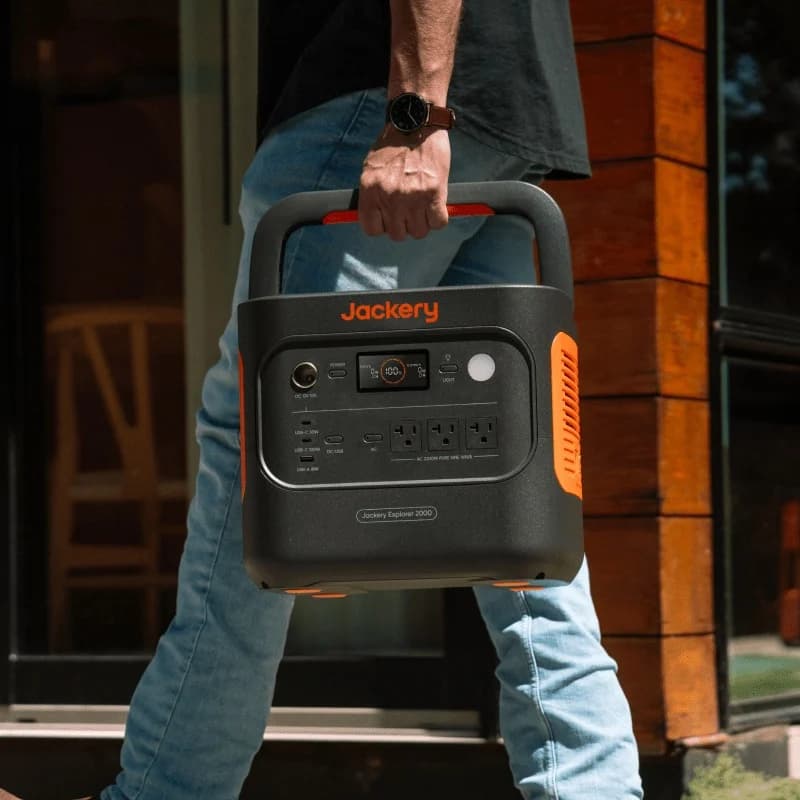
Compare Anker C2000 Gen 2 and Jackery 2000 v2 for fridge backup, carrying, expansion and solar. Get runtime estimates, complete kit checks and buying picks.
Comparison · Portable Power Stations
Anker SOLIX C300X vs BLUETTI Elite 30 V2: Which Small Station?
Choose C300X or Elite 30 V2 for laptops, lights and small AC loads: compare USB-C sharing, runtime estimates, solar cables, model aliases and gift return traps.
Comparison · Portable Power Stations
AFERIY P280 vs Anker SOLIX C2000 Gen 2: Which Backup Kit Fits?

Compare the US AFERIY P280 and Anker C2000 Gen 2 for fridge backup: matching battery kits, runtime estimates, outlet limits, recharge needs and warranty gaps.