

Gift guide
Small LiFePO4 Power Station Gifts
Match the Station to the Person
Choose a small LiFePO4 power station gift by the recipient's devices, carrying needs and setup, with clear picks, runtime estimates and an accessory list.
By thisWATT EditorialUpdated November 3, 20268 min read1 pick
Our recommendation: EcoFlow RIVER 3 Plus
A smaller station with optional stacked battery expansion.
Limit: The stated 858 Wh total requires the separate 572 Wh EB600 battery.
On this page · Our picks at a glance
Our picks at a glance
- 1
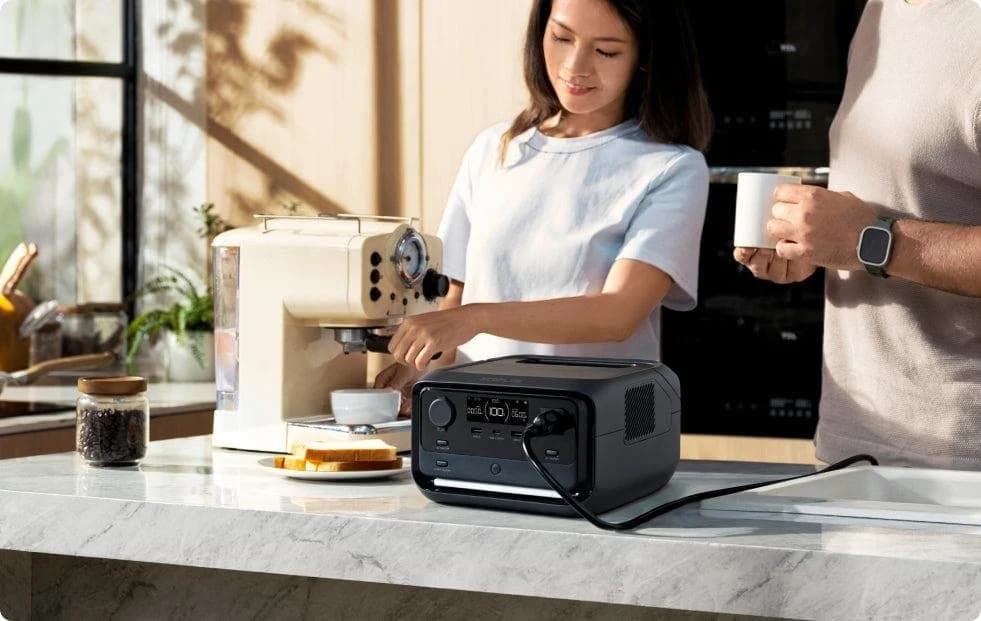
Choose for: A smaller station with optional stacked battery expansion.
Limit: The stated 858 Wh total requires the separate 572 Wh EB600 battery.
For a small LiFePO4 power station gift, choose the EcoFlow RIVER 3 Plus if the recipient wants laptop charging, lights and brief household backup: EcoFlow rates it at 286Wh and 600W continuous AC output. Choose the lighter standard RIVER 3 only when its smaller power budget fits, and treat the Jackery Explorer 300 v2 as a conditional laptop alternative because Jackery's US page currently says it is sold out. For someone who only charges a phone, start with a USB power bank instead.
Quick gift matches
A home worker or someone preparing for short outages
- Choose
- RIVER 3 Plus: our default
- What to confirm before buying
- Their actual load fits its shared 600W AC limit and its stored energy covers the intended interruption.
Someone carrying lights and small electronics from the car
- Choose
- Standard RIVER 3, conditionally
- What to confirm before buying
- Confirm stock for the 245Wh version and loads within its 300W AC ceiling.
A laptop user who wants to refill the station over USB-C
- Choose
- Explorer 300 v2, if available
- What to confirm before buying
- Jackery lists 100W USB-C input, but its US store currently marks it sold out.
A phone-only recipient
- Choose
- Consider a power bank
- What to confirm before buying
- Ask whether they actually need an AC outlet; see thisUSB for USB charging coverage.
Full comparison table
Swipe to compare. Row labels stay visible.
| Recipient | Choose | What to confirm before buying |
|---|---|---|
| A home worker or someone preparing for short outages | RIVER 3 Plus: our default | Their actual load fits its shared 600W AC limit and its stored energy covers the intended interruption. |
| Someone carrying lights and small electronics from the car | Standard RIVER 3, conditionally | Confirm stock for the 245Wh version and loads within its 300W AC ceiling. |
| A laptop user who wants to refill the station over USB-C | Explorer 300 v2, if available | Jackery lists 100W USB-C input, but its US store currently marks it sold out. |
| A phone-only recipient | Consider a power bank | Ask whether they actually need an AC outlet; see thisUSB for USB charging coverage. |
Scroll horizontally to see every column
| Recipient | Choose | What to confirm before buying |
|---|---|---|
| A home worker or someone preparing for short outages | RIVER 3 Plus: our default | Their actual load fits its shared 600W AC limit and its stored energy covers the intended interruption. |
| Someone carrying lights and small electronics from the car | Standard RIVER 3, conditionally | Confirm stock for the 245Wh version and loads within its 300W AC ceiling. |
| A laptop user who wants to refill the station over USB-C | Explorer 300 v2, if available | Jackery lists 100W USB-C input, but its US store currently marks it sold out. |
| A phone-only recipient | Consider a power bank | Ask whether they actually need an AC outlet; see thisUSB for USB charging coverage. |
Compare the stations, including carrying and setup
These are US-version specifications from the RIVER 3 manual, RIVER 3 Plus manual, and Jackery's product page and model-specific support table. Each maker identifies its battery as LiFePO4/LFP.
RIVER 3 Plus
- Capacity / continuous AC, shared
- 286Wh / 600W
- Useful USB and DC ports
- USB-C: 100W output; USB-A: 12W per port; vehicle socket: 126W max
- Maker's net weight
- Approx. 10.36 lb
All specifications
- Setup consideration
- AC cable included; EcoFlow app manages settings such as AC timeout.
Standard RIVER 3
- Capacity / continuous AC, shared
- 245Wh / 300W
- Useful USB and DC ports
- USB-C: 100W output; USB-A: 12W per port; vehicle socket: 126W max
- Maker's net weight
- Approx. 7.72 lb
All specifications
- Setup consideration
- AC cable included; confirm the full variant name.
Explorer 300 v2
- Capacity / continuous AC, shared
- 288Wh / 300W across two AC outlets
- Useful USB and DC ports
- USB-C: 100W input/output plus 15W output; USB-A: 15W; vehicle socket: 12V/10A
- Maker's net weight
- 8.16 lb
All specifications
- Setup consideration
- AC cable included; physical Energy Saving Mode switch; app control unsupported.
Full comparison table
Swipe to compare. Row labels stay visible.
| Station | Capacity / continuous AC, shared | Useful USB and DC ports | Maker's net weight | Setup consideration |
|---|---|---|---|---|
| RIVER 3 Plus | 286Wh / 600W | USB-C: 100W output; USB-A: 12W per port; vehicle socket: 126W max | Approx. 10.36 lb | AC cable included; EcoFlow app manages settings such as AC timeout. |
| Standard RIVER 3 | 245Wh / 300W | USB-C: 100W output; USB-A: 12W per port; vehicle socket: 126W max | Approx. 7.72 lb | AC cable included; confirm the full variant name. |
| Explorer 300 v2 | 288Wh / 300W across two AC outlets | USB-C: 100W input/output plus 15W output; USB-A: 15W; vehicle socket: 12V/10A | 8.16 lb | AC cable included; physical Energy Saving Mode switch; app control unsupported. |
Scroll horizontally to see every column
| Station | Capacity / continuous AC, shared | Useful USB and DC ports | Maker's net weight | Setup consideration |
|---|---|---|---|---|
| RIVER 3 Plus | 286Wh / 600W | USB-C: 100W output; USB-A: 12W per port; vehicle socket: 126W max | Approx. 10.36 lb | AC cable included; EcoFlow app manages settings such as AC timeout. |
| Standard RIVER 3 | 245Wh / 300W | USB-C: 100W output; USB-A: 12W per port; vehicle socket: 126W max | Approx. 7.72 lb | AC cable included; confirm the full variant name. |
| Explorer 300 v2 | 288Wh / 300W across two AC outlets | USB-C: 100W input/output plus 15W output; USB-A: 15W; vehicle socket: 12V/10A | 8.16 lb | AC cable included; physical Energy Saving Mode switch; app control unsupported. |
Treat these as station weights when judging the gift. Include the charging cable, device adapters and any panel in the recipient's carrying plan; a bundled extra battery also needs carrying space.
Source: EcoFlow manuals and Jackery's US specification table, linked above
Best all-round gift: EcoFlow RIVER 3 Plus
EcoFlow
A 10.4 lb, 286Wh LiFePO4 power station with 600W of AC output, a sub-10 ms UPS switchover, one-hour wall charging and expansion to 858Wh with a stackable extra battery.
Check package and model options
- 286 Wh capacity
- 600 W AC out
- LiFePO4
The Plus earns the default recommendation through its 600W continuous AC rating, rather than a large runtime advantage over Jackery's similarly sized battery. Its 100W USB-C output suits a compatible laptop, while EcoFlow advertises a full wall recharge in one hour on its US family page. Its manual lists the station, AC cable, USB-B-to-USB-A UPS communication cable and documentation in the box.
For short outages, EcoFlow specifies transfer in under 10ms. Confirm the connected equipment tolerates that interruption, and check the app's AC timeout setting for intermittent loads; the manual warns that automatic shutoff can interrupt them. See our RIVER family guide for the detailed variants.
Skip it when: carrying comfort is the priority, or the recipient expects a fridge through a long outage. Keep heating appliances outside this gift plan: EcoFlow's 1,200W X-Boost claim is a separate operating feature, while normal continuous AC remains 600W. Check price on Amazon after matching the standalone US Plus version.
Lighter carrying, conditionally: EcoFlow RIVER 3
The standard model's 7.72 lb, 245Wh and 300W continuous AC make it the lighter choice here for someone who has already identified modest loads. Its manual lists USB-C as an output, with a 100W maximum; use its included AC charging cable to refill from the wall.
The ordinary RIVER 3 has EPS transfer within 20ms. Its manual specifically excludes equipment requiring uninterrupted power, including desktops and NAS devices. A separately named RIVER 3 (10 ms UPS) differs; the family page's broad backup wording must not override that distinction.
Buy only after checking: the exact variant and actual stock. EcoFlow's family page describes the model, but we did not establish US store availability. Use that maker link for verification; this model has no verified Amazon identifier in our catalog.
Laptop alternative if available: Jackery Explorer 300 v2
Jackery's 288Wh model has a 100W USB-C input/output and a separate 15W USB-C output, useful when the recipient values refilling the station from a compatible USB-C charger. Its support table says battery-pack expansion and app control are unsupported. The two AC outlets share 300W total, despite feature copy describing “dual” outputs.
There are purchase and backup caveats. The US product page says sold out. Its backup feature copy says ≤0.01 seconds, while its FAQ says 20ms; get clarification before choosing it for interruption-sensitive equipment. Wall-recharge claims also differ: the product FAQ says 76 minutes, and the support table says 1.5 hours.
For low-power lights, check Energy Saving Mode: Jackery says enabled mode shuts outputs down after 6 hours below 25W AC or 2W USB/DC. Its physical switch can disable that behavior. This is a conditional alternative with a maker link, pending stock and owner ASIN confirmation.
Names and bundles: what changes the gift?
EcoFlow's family page identifies RIVER 3 Max as the Plus with an EB300, giving 572Wh total; Max Plus adds an EB600, giving 858Wh total. Both retain 600W output. Choose these for more stored energy only after considering the larger package. An extra battery sold alone is an accessory.
Match capacities as well as names. The RIVER manual separately lists a 230Wh RIVER 3 (230), while the Plus manual also lists a 268Wh RIVER 3 Plus (270). Those are separate versions from the table above. For Jackery, match Explorer 300 v2 exactly; its standalone package and SolarSaga bundle have different contents.
What can they run? Show the load before the runtime
Use the recipient's actual draw, including everything running together. Jackery's runtime guidance uses capacity in Wh × 0.8 ÷ device watts for approximate runtime with stable loads. We borrow that factor as a planning assumption across this table, not an efficiency measurement for either brand.
The loads below are illustrative combined draws, not specifications for particular devices. Results are estimates in hours, rounded outward to whole-hour brackets. Assume a full battery, no recharging and timeout settings that allow continuous output. Actual runtime can fall outside these planning brackets:
Phones and lights, 20W steady total
- RIVER 3: 245Wh
- 9–10 (245 × 0.8 ÷ 20)
- RIVER 3 Plus: 286Wh
- 11–12 (286 × 0.8 ÷ 20)
- Explorer 300 v2: 288Wh
- 11–12 (288 × 0.8 ÷ 20)
Laptop setup, 60W steady total
- RIVER 3: 245Wh
- 3–4 (245 × 0.8 ÷ 60)
- RIVER 3 Plus: 286Wh
- 3–4 (286 × 0.8 ÷ 60)
- Explorer 300 v2: 288Wh
- 3–4 (288 × 0.8 ÷ 60)
Router, modem and lights, 40W steady total
- RIVER 3: 245Wh
- 4–5 (245 × 0.8 ÷ 40)
- RIVER 3 Plus: 286Wh
- 5–6 (286 × 0.8 ÷ 40)
- Explorer 300 v2: 288Wh
- 5–6 (288 × 0.8 ÷ 40)
Full comparison table
Swipe to compare. Row labels stay visible.
| Recipient's assumed load | RIVER 3: 245Wh | RIVER 3 Plus: 286Wh | Explorer 300 v2: 288Wh |
|---|---|---|---|
| Phones and lights, 20W steady total | 9–10 (245 × 0.8 ÷ 20) | 11–12 (286 × 0.8 ÷ 20) | 11–12 (288 × 0.8 ÷ 20) |
| Laptop setup, 60W steady total | 3–4 (245 × 0.8 ÷ 60) | 3–4 (286 × 0.8 ÷ 60) | 3–4 (288 × 0.8 ÷ 60) |
| Router, modem and lights, 40W steady total | 4–5 (245 × 0.8 ÷ 40) | 5–6 (286 × 0.8 ÷ 40) | 5–6 (288 × 0.8 ÷ 40) |
Scroll horizontally to see every column
| Recipient's assumed load | RIVER 3: 245Wh | RIVER 3 Plus: 286Wh | Explorer 300 v2: 288Wh |
|---|---|---|---|
| Phones and lights, 20W steady total | 9–10 (245 × 0.8 ÷ 20) | 11–12 (286 × 0.8 ÷ 20) | 11–12 (288 × 0.8 ÷ 20) |
| Laptop setup, 60W steady total | 3–4 (245 × 0.8 ÷ 60) | 3–4 (286 × 0.8 ÷ 60) | 3–4 (288 × 0.8 ÷ 60) |
| Router, modem and lights, 40W steady total | 4–5 (245 × 0.8 ÷ 40) | 5–6 (286 × 0.8 ÷ 40) | 5–6 (288 × 0.8 ÷ 40) |
Actual device draw and station consumption can change the result. Jackery's support table separately lists standby consumption up to 10W, which this equation does not model individually. Jackery cautions against using this simple method for refrigerators and other variable or high-startup loads. Use our watt calculator with your own figures. For longer household backup, move to the larger-station guide.
Make the gift usable: contents and accessories
RIVER 3 standalone
- Included equipment confirmed by the maker
- Station, AC charging cable, documentation
- What to add or verify
- Device cables; panel and solar-to-XT60i cable are separate.
RIVER 3 Plus standalone
- Included equipment confirmed by the maker
- Station, AC cable, UPS communication cable, documentation
- What to add or verify
- Device cables; panel and solar-to-XT60i cable are separate.
Explorer 300 v2 standalone
- Included equipment confirmed by the maker
- Station, AC cable, user manual
- What to add or verify
- Device cables; Jackery explicitly excludes the car-charging cable.
Explorer 300 v2 + SolarSaga 40 Air
- Included equipment confirmed by the maker
- Same station and AC cable, plus the named panel
- What to add or verify
- Confirm selected kit and charging connections; the panel adds charging, not stored battery energy.
Full comparison table
Swipe to compare. Row labels stay visible.
| Package | Included equipment confirmed by the maker | What to add or verify |
|---|---|---|
| RIVER 3 standalone | Station, AC charging cable, documentation | Device cables; panel and solar-to-XT60i cable are separate. |
| RIVER 3 Plus standalone | Station, AC cable, UPS communication cable, documentation | Device cables; panel and solar-to-XT60i cable are separate. |
| Explorer 300 v2 standalone | Station, AC cable, user manual | Device cables; Jackery explicitly excludes the car-charging cable. |
| Explorer 300 v2 + SolarSaga 40 Air | Same station and AC cable, plus the named panel | Confirm selected kit and charging connections; the panel adds charging, not stored battery energy. |
Scroll horizontally to see every column
| Package | Included equipment confirmed by the maker | What to add or verify |
|---|---|---|
| RIVER 3 standalone | Station, AC charging cable, documentation | Device cables; panel and solar-to-XT60i cable are separate. |
| RIVER 3 Plus standalone | Station, AC cable, UPS communication cable, documentation | Device cables; panel and solar-to-XT60i cable are separate. |
| Explorer 300 v2 standalone | Station, AC cable, user manual | Device cables; Jackery explicitly excludes the car-charging cable. |
| Explorer 300 v2 + SolarSaga 40 Air | Same station and AC cable, plus the named panel | Confirm selected kit and charging connections; the panel adds charging, not stored battery energy. |
For a laptop gift, include a cable suitable for its charging requirements and confirm the laptop supports the station's USB-C profiles. For solar, verify the exact panel, connector and cable together: the RIVER 3 manual specifies 110W max, 11–30V, while the Plus specifies 220W max, 11–55V. EcoFlow's connection instructions require panel voltage below those upper limits. Jackery's support table specifies 100W max, 16–28V, DC8020. Follow the model's connection instructions; a matching plug alone is insufficient.
Identify the job
Write down the devices, combined draw and needed hours; compare both output and energy.
Complete the package
Match the station version, wall cable and device cables; add solar only for a recipient who wants it.
Prepare the handover
Read the manual together, check output and timeout settings, and keep purchase documentation accessible.
Winter storage and holiday buying checks
All these models specify charging from 32–113°F (0–45°C). Let a cold station return to its permitted charging range before connecting power. The EcoFlow manuals say to keep the station dry and, for long storage, cycle it every 3 months, fully charging then discharging to 60% for storage. Include the correct manual with the gift.
For Black Friday, Cyber Monday or holiday shopping, check the full US model name, standalone versus bundle contents, seller identity, stock and delivery estimate on the purchase day. Ask who can initiate a gift return, when its window begins, whether opening affects eligibility, who pays return freight, and what proof of purchase or registration the warranty needs. Keep the receipt and packaging; verify the terms for the actual seller rather than treating a manufacturer's store banner as a universal holiday-return promise.
How we choose
This is document-based research using official US manufacturer pages, manuals and support tables, reviewed November 2, 2026. The picks prioritize the recipient's ports, carrying burden, output and complete package. There was no physical performance testing. The site already has records for these models; we reuse the verified Plus identifier and link directly to the makers for the unverified alternatives. Stock and conflicting manufacturer claims are disclosed above. Cycle-life endpoints also differ: EcoFlow states 3,000 cycles to 80%+ health, while Jackery states 4,000 to 70%+ capacity; those are not equivalent durability tests or warranty periods.
Verdict
Give the RIVER 3 Plus for the broadest power range among these small stations. Consider the RIVER 3 when carrying comfort matters and the exact version is available; consider the Explorer 300 v2 when USB-C recharging matters and stock returns. Choose the recipient's actual job first, then complete the cables and handover.
Frequently asked questions
Which small LiFePO4 power station makes the best gift?
Our default is the EcoFlow RIVER 3 Plus for a recipient who needs USB charging and AC power: its manufacturer-rated 286Wh battery and 600W continuous AC output cover a broader power range than the other stations here. Choose the standard RIVER 3 for lighter carrying only after confirming the exact version and stock. For phone-only needs, consider a USB power bank first.
Can these power stations charge a laptop through USB-C?
The EcoFlow manuals specify USB-C output up to 100W. Jackery lists a 100W USB-C input/output port and a separate 15W USB-C output on the Explorer 300 v2. Check the laptop's accepted charging profiles and use a suitable cable; a USB-C socket alone does not establish compatibility. Jackery currently marks the v2 sold out, so confirm availability before choosing it.
Does a solar panel come with a small power station?
Check the selected package. The EcoFlow manuals list an AC charging cable but say the panel and solar-to-XT60i cable are separate. Jackery's standalone Explorer 300 v2 package includes the station, AC cable and manual; its separately selected SolarSaga 40 Air bundle adds a panel. Start with wall charging unless the recipient actually wants to set up solar.
Can I take a LiFePO4 power station on a plane?
These stations exceed the FAA's 160Wh passenger-aircraft limit for rechargeable lithium batteries, so they are unsuitable gifts for someone who must fly home with them in baggage. That applies to both carry-on and checked bags. Arrange an appropriate delivery method instead and confirm the seller's shipping and return arrangements for the recipient's address before buying.
EcoFlow RIVER 3 Plus
AmazonRelated guides
Comparison · Portable Power Stations
Anker SOLIX C2000 Gen 2 vs Jackery Explorer 2000 v2: Which to Buy?
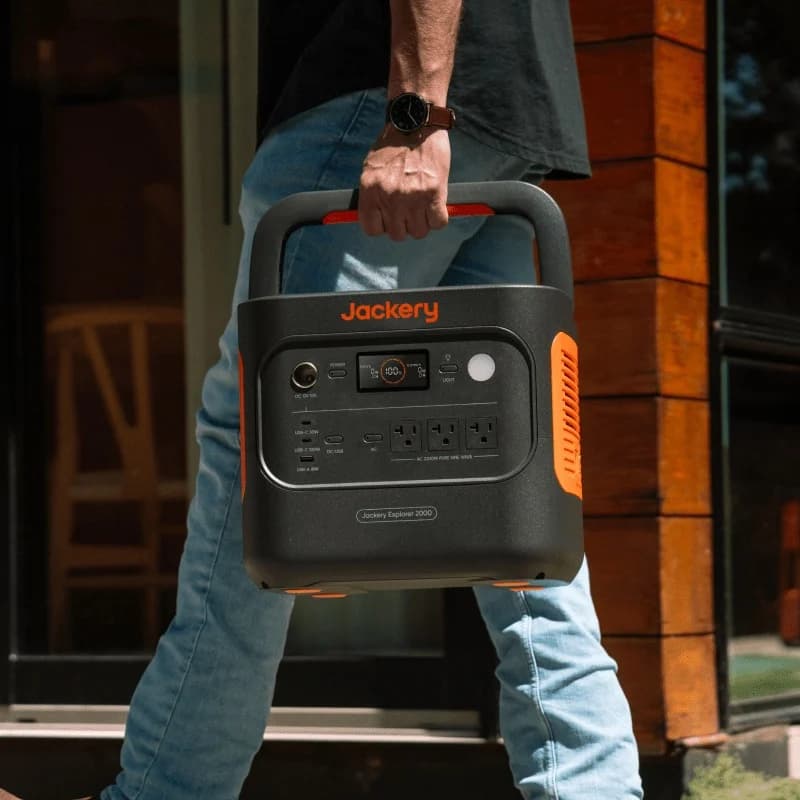
Compare Anker C2000 Gen 2 and Jackery 2000 v2 for fridge backup, carrying, expansion and solar. Get runtime estimates, complete kit checks and buying picks.
Comparison · Portable Power Stations
Anker SOLIX C300X vs BLUETTI Elite 30 V2: Which Small Station?
Choose C300X or Elite 30 V2 for laptops, lights and small AC loads: compare USB-C sharing, runtime estimates, solar cables, model aliases and gift return traps.
Comparison · Portable Power Stations
AFERIY P280 vs Anker SOLIX C2000 Gen 2: Which Backup Kit Fits?

Compare the US AFERIY P280 and Anker C2000 Gen 2 for fridge backup: matching battery kits, runtime estimates, outlet limits, recharge needs and warranty gaps.