

Best picks
Best Emergency Power Supplies for Apartments
Lights, Phones and Fridge Backup
Choose apartment backup power for phones, lights or a fridge. Compare four batteries by carrying weight, recharge options and 4-, 8- and 24-hour outage plans.
By thisWATT EditorialUpdated November 3, 20268 min read3 picks
Our recommendation: EcoFlow RIVER 3 Plus
A smaller station with optional stacked battery expansion.
Limit: The stated 858 Wh total requires the separate 572 Wh EB600 battery.
On this page · Our picks at a glance
Our picks at a glance
- 1
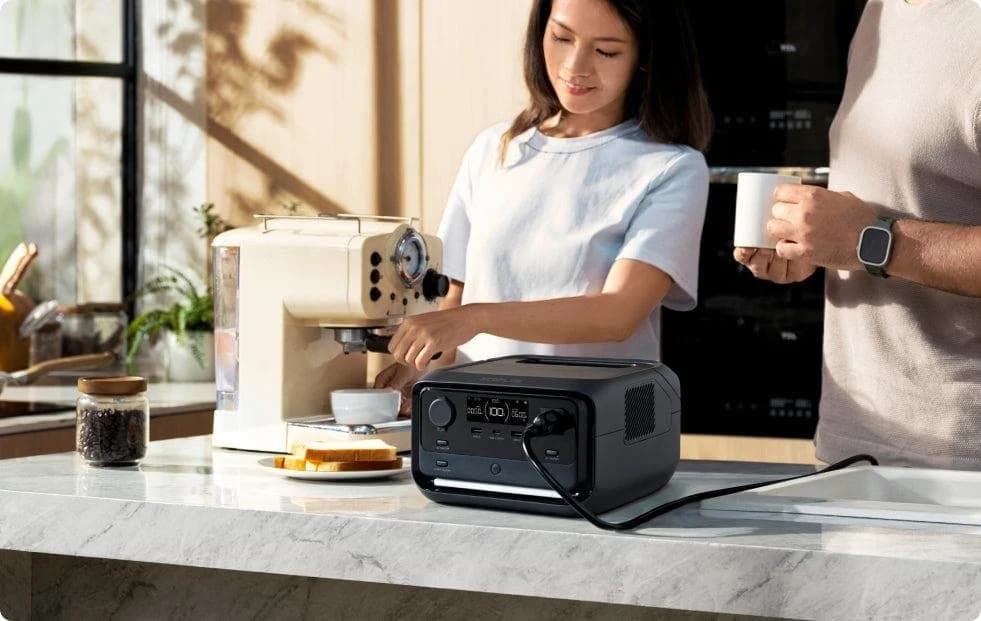
Choose for: A smaller station with optional stacked battery expansion.
Limit: The stated 858 Wh total requires the separate 572 Wh EB600 battery.
- 2

Choose for: More stored energy with an option to add a battery.
Limit: Expansion stops at one extra battery, for 4,096 Wh total.
- 3
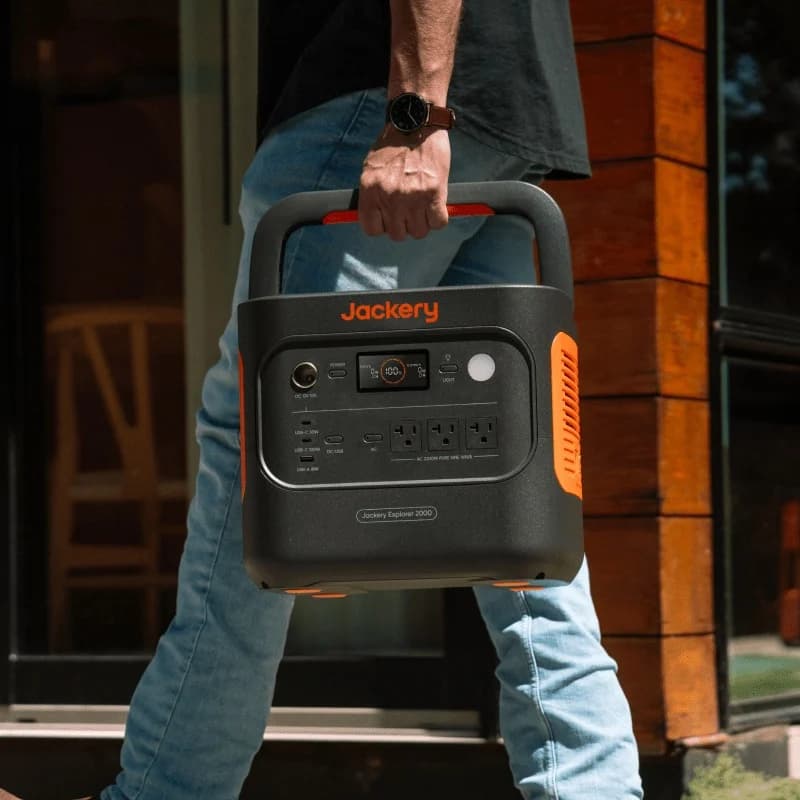
Choose for: 2,042 Wh and 2,200 W continuous output at about 39.5 lb.
Limit: Not expandable; solar input tops out at 400 W and there are three AC outlets.
The best emergency power supply for most apartments here is the Anker SOLIX C1000 Gen 2: its manufacturer lists 1,024Wh, 2,000W continuous AC output and a 24.9 lb weight. Choose the EcoFlow RIVER 3 Plus for a smaller device-only plan and easier carrying, or the Anker SOLIX C2000 Gen 2 when refrigeration and longer outages justify a heavier, expandable setup. The Jackery Explorer 2000 v2 offers similar stored energy with less weight than the larger Anker, but no expansion.
Quick picks: start with the job and the carrying limit
These are recommendations for the example schedules below, not promised runtimes.
Compare specifications and all conditions
A 4-hour device plan; lowest carrying weight here
- Pick
- EcoFlow RIVER 3 Plus
- Buying boundary
- Keep the load list small; don't treat it as overnight fridge backup
An 8-hour essentials plan, with a separate fridge check
- Pick
- Anker SOLIX C1000 Gen 2
- Buying boundary
- Best starting point if you can carry 24.9 lb; it cannot expand
More fridge energy and room to extend the plan
- Pick
- Anker SOLIX C2000 Gen 2
- Buying boundary
- Assess the 41.7 lb lift before choosing it
A lighter alternative to that larger Anker
- Pick
- Jackery Explorer 2000 v2
- Buying boundary
- About 39.5 lb; buy enough capacity initially because it cannot expand
Full comparison table
Swipe to compare. Row labels stay visible.
| Your priority | Pick | Buying boundary |
|---|---|---|
| A 4-hour device plan; lowest carrying weight here | EcoFlow RIVER 3 Plus | Keep the load list small; don't treat it as overnight fridge backup |
| An 8-hour essentials plan, with a separate fridge check | Anker SOLIX C1000 Gen 2 | Best starting point if you can carry 24.9 lb; it cannot expand |
| More fridge energy and room to extend the plan | Anker SOLIX C2000 Gen 2 | Assess the 41.7 lb lift before choosing it |
| A lighter alternative to that larger Anker | Jackery Explorer 2000 v2 | About 39.5 lb; buy enough capacity initially because it cannot expand |
Scroll horizontally to see every column
| Your priority | Pick | Buying boundary |
|---|---|---|
| A 4-hour device plan; lowest carrying weight here | EcoFlow RIVER 3 Plus | Keep the load list small; don't treat it as overnight fridge backup |
| An 8-hour essentials plan, with a separate fridge check | Anker SOLIX C1000 Gen 2 | Best starting point if you can carry 24.9 lb; it cannot expand |
| More fridge energy and room to extend the plan | Anker SOLIX C2000 Gen 2 | Assess the 41.7 lb lift before choosing it |
| A lighter alternative to that larger Anker | Jackery Explorer 2000 v2 | About 39.5 lb; buy enough capacity initially because it cannot expand |
For phones and rechargeable lights alone, consider power banks first. A station becomes more useful when your plan needs AC sockets or more stored energy. Anker's apartment guidance distinguishes those jobs.
Compare capacity, output and the space you need
All figures describe standalone US stations, before panels or extra batteries. Rated watts limit simultaneous AC loads; peak watts are separate startup specifications, not guaranteed appliance compatibility.
EcoFlow RIVER 3 Plus
- Capacity (Wh)
- 286
- Continuous / peak AC (W)
- 600 / 1,200
- Weight (lb)
- 10.4
All specifications
- Size, L × W × H (in)
- 9.2 × 9.1 × 5.8
Anker SOLIX C1000 Gen 2
- Capacity (Wh)
- 1,024
- Continuous / peak AC (W)
- 2,000 / 3,000
- Weight (lb)
- 24.9
All specifications
- Size, L × W × H (in)
- 15.12 × 8.19 × 9.61
Anker SOLIX C2000 Gen 2
- Capacity (Wh)
- 2,048
- Continuous / peak AC (W)
- 2,400 / 4,000
- Weight (lb)
- 41.7
All specifications
- Size, L × W × H (in)
- 18.1 × 9.8 × 10.1
Jackery Explorer 2000 v2
- Capacity (Wh)
- 2,042
- Continuous / peak AC (W)
- 2,200 / 4,400
- Weight (lb)
- About 39.5
All specifications
- Size, L × W × H (in)
- 13.2 × 10.4 × 11.5
Full comparison table
Swipe to compare. Row labels stay visible.
| Station | Capacity (Wh) | Continuous / peak AC (W) | Weight (lb) | Size, L × W × H (in) |
|---|---|---|---|---|
| EcoFlow RIVER 3 Plus | 286 | 600 / 1,200 | 10.4 | 9.2 × 9.1 × 5.8 |
| Anker SOLIX C1000 Gen 2 | 1,024 | 2,000 / 3,000 | 24.9 | 15.12 × 8.19 × 9.61 |
| Anker SOLIX C2000 Gen 2 | 2,048 | 2,400 / 4,000 | 41.7 | 18.1 × 9.8 × 10.1 |
| Jackery Explorer 2000 v2 | 2,042 | 2,200 / 4,400 | About 39.5 | 13.2 × 10.4 × 11.5 |
Scroll horizontally to see every column
| Station | Capacity (Wh) | Continuous / peak AC (W) | Weight (lb) | Size, L × W × H (in) |
|---|---|---|---|---|
| EcoFlow RIVER 3 Plus | 286 | 600 / 1,200 | 10.4 | 9.2 × 9.1 × 5.8 |
| Anker SOLIX C1000 Gen 2 | 1,024 | 2,000 / 3,000 | 24.9 | 15.12 × 8.19 × 9.61 |
| Anker SOLIX C2000 Gen 2 | 2,048 | 2,400 / 4,000 | 41.7 | 18.1 × 9.8 × 10.1 |
| Jackery Explorer 2000 v2 | 2,042 | 2,200 / 4,400 | About 39.5 | 13.2 × 10.4 × 11.5 |
Sources: EcoFlow specifications, C1000 Gen 2 specifications, C2000 Gen 2 specifications, Jackery specifications.
Source: Manufacturer specifications linked above
Best for most apartments: Anker SOLIX C1000 Gen 2
Choose this when a small station would force too many compromises but carrying a larger one would be awkward. Its capacity is fixed: Gen 2 cannot accept an expansion battery, while Anker identifies the original C1000 as expandable. Match the generation before ordering.
Anker claims a full recharge in 49 minutes with 1,600W UltraFast Charging, enabled in its app. Normal charging tops out at 1,200W; UltraFast requires battery cells above 68°F and slows below that threshold. Solar input tops out at 600W. Treat the fast recharge as a chance to refill wherever suitable mains power remains available, not as a source of energy during the blackout.
Best for light loads: EcoFlow RIVER 3 Plus
This is the easiest lift here, and our small device schedule fits its planning budget. EcoFlow specifies three AC outlets sharing 600W and a 100W USB-C port. Check that your laptop supports the available USB-C power profile.
EcoFlow
A 10.4 lb, 286Wh LiFePO4 power station with 600W of AC output, a sub-10 ms UPS switchover, one-hour wall charging and expansion to 858Wh with a stackable extra battery.
Check package and model options
- 286 Wh capacity
- 600 W AC out
- LiFePO4
EcoFlow quotes a 60-minute wall recharge and 220W maximum solar input. The EB300 and EB600 extra batteries add 286Wh and 572Wh, respectively, taking the station to 572Wh or 858Wh. Those are extra-energy configurations, not a higher continuous AC rating. Confirm whether the selected package contains the station, an extra battery or a panel.
Best for a longer fridge plan: Anker SOLIX C2000 Gen 2
Choose the larger Anker for more stored energy and the option to expand. One BP2000 (Gen 2) adds 2,048Wh, making 4,096Wh combined by addition; the manufacturer's battery table gives the accessory's weight as 15.3 kg. The extra battery adds another item to store and move.
Anker SOLIX
A 2,048Wh LiFePO4 power station with 2,400W of AC output (4,000W peak), a TT-30R RV outlet, 1,800W wall charging, 800W of solar input and expansion to 4kWh with one BP2000 (Gen 2) battery.
Check package and model options
- 2,048 Wh capacity
- 2,400 W AC out
- LiFePO4
Anker lists 88 min to full on AC alone at up to 1,800W. Its headline 58-minute claim uses AC plus solar together at 2,600W; solar alone is limited to 800W. Buy the station with its compatible expansion battery only if that package meets your plan. A panel bundle supplies charging equipment; a multiple-station pack supplies separate stations.
Lighter fixed-capacity alternative: Jackery Explorer 2000 v2
Choose the Jackery when its lower carrying weight matters more than expansion. Its three AC outlets and 400W combined solar limit are less flexible than simply counting stored watt-hours might suggest. The 2000 Plus is a different, expandable model; the 2000 v2 is not expandable. Feature copy says 4,000W surge; the technical table and US manual agree on 4,400W, used here.
Jackery
A 2,042Wh LiFePO4 portable power station with 2,200W of AC output (4,400W surge peak), app-enabled 1.7-hour emergency charging and up to 400W of solar input.
Check package and model options
- 2,042 Wh capacity
- 2,200 W AC out
- LiFePO4
Jackery's own charging claims conflict: the menu says 1.3 hours for emergency charging, main product text says about 1.7 hours, and technical specifications list 1.75 hours for ordinary AC charging. We use the technical figure for regular charging; confirm emergency-mode expectations before buying for a tight recharge window.
The apartment checklist: storage, access and permitted use
Measure the storage space against the table, then identify a separate operating position with ventilation and cable access. EcoFlow's manual calls for a dry, cool, well-ventilated location away from water and heat. A station fitting inside a cupboard does not establish that the cupboard is suitable during operation.
Check your lease and building rules for battery storage and panel placement. Before budgeting for the fridge, confirm its plug is accessible without pulling dangerously on the cable or blocking a passage. If you cannot reach it safely, choose a device-only plan and arrange food storage separately. Assess the lift along your actual route, including stairs if the elevator is unavailable.
EPA explicitly excludes fuel generators from balconies, decks and porches and calls for 20 feet from homes. Anker also warns against feeding apartment wiring from a station's AC output.
Example 4-, 8- and 24-hour outage plans
These loads are worksheet assumptions, not typical-device specifications. Replace them with your equipment's consumption using our watt calculator. The EIA explains the underlying arithmetic: energy in Wh equals watts multiplied by hours.
For this comparison, budget 80% of nameplate capacity for devices and leave the rest for losses and reserve. This is an editorial planning assumption, not a measured efficiency for these stations. Inverter standby draw, temperature, battery age and settings can require a bigger allowance. All examples assume a full battery, no recharging and no extra loads.
Router and modem together
- Power (W)
- 10
- Hours used in 4-hour plan
- 4
- In 8-hour plan
- 8
All specifications
- In 24-hour plan
- 24
LED lighting
- Power (W)
- 5
- Hours used in 4-hour plan
- 4
- In 8-hour plan
- 8
All specifications
- In 24-hour plan
- 8
Laptop
- Power (W)
- 40
- Hours used in 4-hour plan
- 2
- In 8-hour plan
- 4
All specifications
- In 24-hour plan
- 7
Phone charging together
- Power (W)
- 10
- Hours used in 4-hour plan
- 2
- In 8-hour plan
- 2
All specifications
- In 24-hour plan
- 4
Device energy, sum of watts × hours (Wh)
- Power (W)
- —
- Hours used in 4-hour plan
- 160
- In 8-hour plan
- 300
All specifications
- In 24-hour plan
- 600
Planning capacity, energy ÷ 80%, rounded up (Wh)
- Power (W)
- —
- Hours used in 4-hour plan
- 200
- In 8-hour plan
- 400
All specifications
- In 24-hour plan
- 800
Full comparison table
Swipe to compare. Row labels stay visible.
| Assumed load | Power (W) | Hours used in 4-hour plan | In 8-hour plan | In 24-hour plan |
|---|---|---|---|---|
| Router and modem together | 10 | 4 | 8 | 24 |
| LED lighting | 5 | 4 | 8 | 8 |
| Laptop | 40 | 2 | 4 | 7 |
| Phone charging together | 10 | 2 | 2 | 4 |
| Device energy, sum of watts × hours (Wh) | — | 160 | 300 | 600 |
| Planning capacity, energy ÷ 80%, rounded up (Wh) | — | 200 | 400 | 800 |
Scroll horizontally to see every column
| Assumed load | Power (W) | Hours used in 4-hour plan | In 8-hour plan | In 24-hour plan |
|---|---|---|---|---|
| Router and modem together | 10 | 4 | 8 | 24 |
| LED lighting | 5 | 4 | 8 | 8 |
| Laptop | 40 | 2 | 4 | 7 |
| Phone charging together | 10 | 2 | 2 | 4 |
| Device energy, sum of watts × hours (Wh) | — | 160 | 300 | 600 |
| Planning capacity, energy ÷ 80%, rounded up (Wh) | — | 200 | 400 | 800 |
4-hour plan: RIVER 3 Plus clears the example's nominal requirement. That means intermittent laptop charging, not running the laptop continuously at its adapter's maximum. If your list is only phones and lights, reconsider whether you need AC at all.
8-hour plan: C1000 Gen 2 gives room beyond the device schedule. RIVER 3 Plus with EB300 also clears the device-only budget on these assumptions; compare the complete kit's weight before choosing it. For an illustrative fridge averaging 50 watts, add 50 × 8 = 400 watt-hours; combined demand becomes 700 watt-hours. Dividing that by the same 80% allowance puts it below 1,024Wh on paper. This recommendation changes if your fridge consumes more or needs a starting burst the station cannot supply.
24-hour plan: The device-only schedule fits C1000 Gen 2's planning budget. Add that same assumed fridge and the requirement becomes (600 + 50 × 24) ÷ 80% Wh, which exceeds 2,048Wh. Neither standalone larger pick clears this complete schedule on our assumptions. Reduce the load list, arrange a verified recharge opportunity, or choose C2000 Gen 2 with its compatible extra battery.
The fridge check is separate from the energy budget
Use average energy across compressor cycles for duration and check running and starting power separately; our refrigerator watts guide covers that arithmetic. Verify the actual fridge starts and stays powered, including its idle periods. EcoFlow warns that AC timeout can shut off intermittent loads. Jackery's manual describes automatic shutoff for sufficiently small loads in Energy Saving Mode. Review the selected model's settings.
Keep an appliance thermometer in the fridge. FDA guidance says an unopened refrigerator keeps food cold for about 4 hours and recommends preparing coolers for longer outages. A battery display cannot establish that food stayed at a safe temperature.
Make the plan survive a longer outage
Prioritize communication, then lighting, then optional laptop use; write down what you will stop powering first. Use compatible USB outputs where possible and switch off unused outputs. Verify the intended load and settings before an emergency and keep the necessary cables together.
Write the load schedule
Separate essential communication and lighting from optional laptop time and refrigeration.
Verify the actual setup
Check appliance starts, cable access, timeout settings and the lift along your route.
Choose the fallback
Plan reduced loads, another charging location or alternative food storage before the battery runs low.
Count solar only when you have permission, a safe deployment space and a compatible panel. The maximum inputs above are electrical ceilings, not the power an apartment window or balcony will deliver. Panel bundles add equipment to store; they do not add battery capacity.
Avoid building an electric-heating plan around these batteries. For an assumed 1,500W heater, even 1,024Wh × 80% ÷ 1,500W estimates well under an hour, with no energy allocated to anything else. Fixed-wiring backup needs a licensed electrician and permits where required, as EcoFlow's installation service explains; see our home battery backup guide.
How we choose
We compared official US product specifications and manuals for capacity, rated and peak output, dimensions, weight, recharge conditions and expansion, checked November 2, 2026. The shortlist favors useful outage coverage without overlooking apartment storage and carrying constraints. We have not physically evaluated these products. The schedules are transparent estimates, not manufacturer runtime claims or medical-backup recommendations. Our disclosure explains affiliate funding.
Verdict
Buy C1000 Gen 2 for a flexible apartment essentials plan. Choose RIVER 3 Plus when a small load list and easier carrying are decisive. For refrigeration, verify access and consumption first: choose C2000 Gen 2 if expansion is useful, or Explorer 2000 v2 if its lower weight matters more. Buy the smallest setup that clears your actual schedule with headroom and a workable fallback.
Frequently asked questions
What size emergency power supply do I need for an apartment?
Choose from your device schedule, not the apartment's floor area. The example device-only plans below need much less energy than the same plans with a refrigerator. We favor the 1,024Wh Anker SOLIX C1000 Gen 2 for flexibility, or the 286Wh RIVER 3 Plus for a deliberately small load list. Check running power, startup demand, carrying weight and access to the appliance plug separately.
Can a portable battery keep an apartment refrigerator running overnight?
It can if the fridge's energy use and starting demand fit the station. Use average consumption across compressor cycles for the energy budget, then check startup separately. Our overnight example fits the C1000 Gen 2 on an assumed loss allowance, but it is not a universal fridge runtime. Confirm you can reach the fridge plug and verify the actual setup before relying on it.
Can I use an emergency power supply indoors or on a balcony?
Use a battery station indoors only as its manual permits, on a stable, dry surface with ventilation and within temperature limits. Check building rules before buying or deploying panels. Fuel-burning generators require a different plan: EPA says to keep them away from homes and specifically excludes balconies, decks and porches. Never connect a station's AC output to a wall outlet to energize apartment wiring.
Will a battery keep my apartment Wi-Fi working during an outage?
Only if your internet service remains available and all equipment needed inside your apartment has power. Include the modem or fiber terminal alongside the router in your load list. Anker's apartment guidance makes the same service-availability qualification. Before an outage, check which boxes your connection needs and plan another way to receive updates if broadband stops working. A powered router alone is not a connectivity guarantee.
Is a portable power station the same as a computer UPS?
Check the exact transfer specification and your equipment's requirements. EcoFlow's RIVER 3 Plus page quotes under 10 ms, while its manual says within 10 ms; Anker lists 10 ms for both picks here. Jackery's manual specifies within 20 ms and excludes equipment requiring uninterrupted switching. These are interruption limits, not guarantees that every computer will stay running. Check bypass limits and timeout settings as well.
EcoFlow RIVER 3 Plus
AmazonRelated guides
Best picks · Portable Power Stations
Best Battery Backup for Refrigerators: Picks by Outage Length
Choose a battery backup for your refrigerator by daily energy use, compressor starts and outage length, with clear picks, runtime estimates and kit checks.
Comparison · Portable Power Stations
AFERIY P280 vs Anker SOLIX C2000 Gen 2: Which Backup Kit Fits?
Compare the US AFERIY P280 and Anker C2000 Gen 2 for fridge backup: matching battery kits, runtime estimates, outlet limits, recharge needs and warranty gaps.
Comparison · Portable Power Stations
Anker SOLIX C2000 Gen 2 vs Jackery Explorer 2000 v2: Which to Buy?
Compare Anker C2000 Gen 2 and Jackery 2000 v2 for fridge backup, carrying, expansion and solar. Get runtime estimates, complete kit checks and buying picks.