

Comparison
Wallbox Pulsar Plus vs Emporia
Single-Car and Two-Car Kits
Compare Wallbox Pulsar Plus with Emporia Classic and Pro by installed kit: charging, two-car sharing, panel management, required accessories and offline limits.
By thisWATT EditorialUpdated November 3, 20268 min read2 picks
Our recommendation: Emporia Classic Level 2 EV Charger (NACS, 48A)
Up to 48 A hardwired, with Wi-Fi scheduling and J1772 or NACS choices.
Limit: 48 A needs hardwiring and a suitable 60 A circuit; panel load management costs extra. Ask an electrician.
On this page · Our picks at a glance
Our picks at a glance
- 1
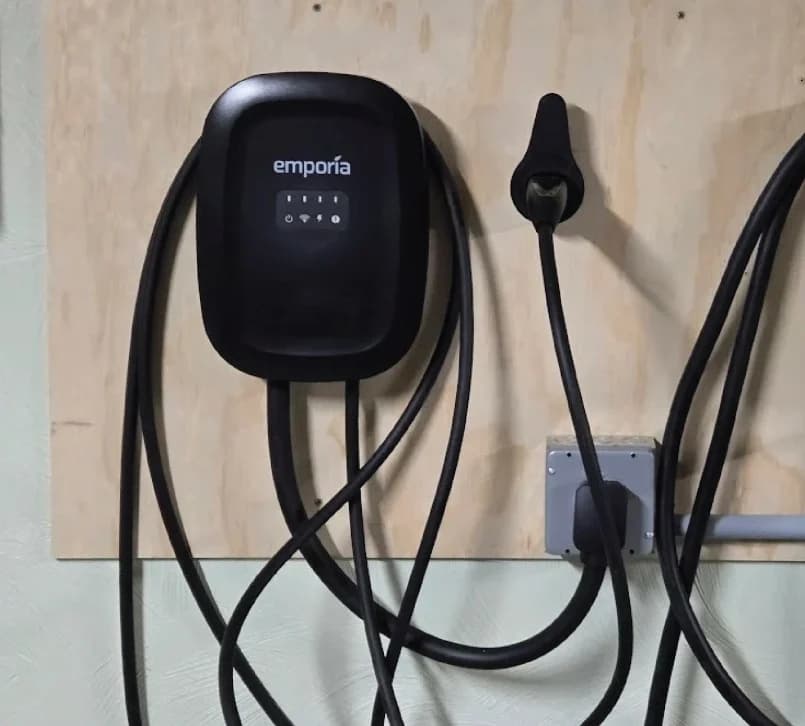
Emporia Classic Level 2 EV Charger (NACS, 48A)
Choose for: Up to 48 A hardwired, with Wi-Fi scheduling and J1772 or NACS choices.
Limit: 48 A needs hardwiring and a suitable 60 A circuit; panel load management costs extra. Ask an electrician.
- 2
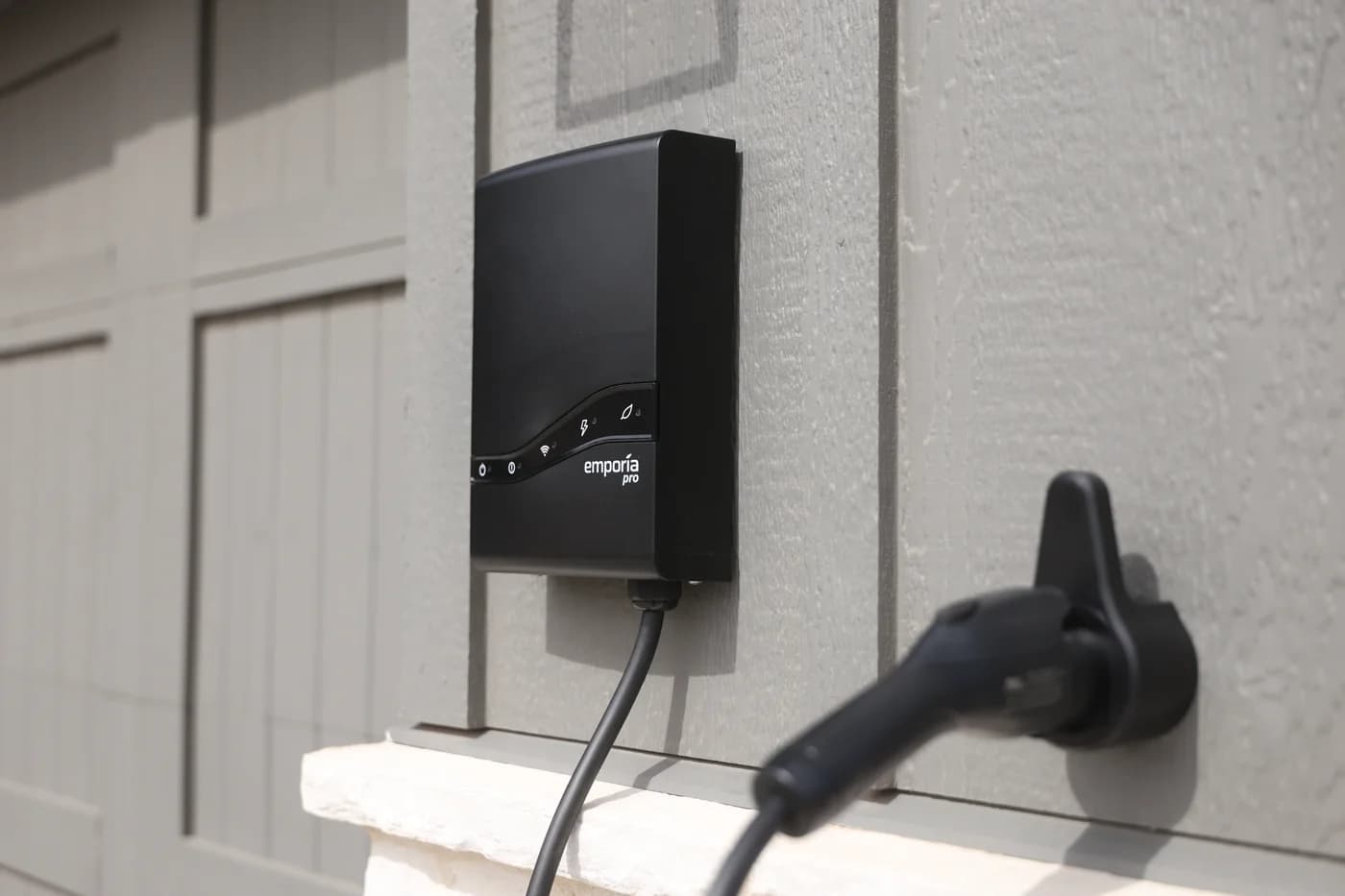
Emporia Pro Level 2 EV Charger (J1772, 48A)
Choose for: Includes Vue 3 monitoring and PowerSmart load management.
Limit: The monitor is installed inside the electrical panel by an electrician, including for a plug-in charger.
Choose Wallbox Pulsar Plus for two-car sharing without internet, Emporia Classic for straightforward single-car charging, or Emporia Pro when you need a complete whole-panel management kit. Wallbox documents wired Power Sharing; Emporia's sharing uses its cloud, while Pro bundles the Vue monitor and PowerSmart. Compare the complete installation before choosing a brand.
Quick picks by the job
Compare specifications and all conditions
One car; electrician confirms sufficient capacity
- Our pick
- Emporia Classic
- Purchase condition
- Scheduling is included; buy the matching connector and installation version.
Two cars; sharing must keep working without internet
- Our pick
- Two compatible Pulsar Plus chargers
- Purchase condition
- Include the communication cable and professional commissioning; match generations.
One car; household loads constrain charging
- Our pick
- Emporia Pro
- Purchase condition
- Its bundle includes Vue 3 and PowerSmart; the monitor still needs installing.
Multiple Emporias plus a constrained main panel
- Our pick
- Emporia with Load Sharing and PowerSmart
- Purchase condition
- Confirm sharing availability and PowerSmart capability on every charger.
Full comparison table
Swipe to compare. Row labels stay visible.
| Your situation | Our pick | Purchase condition |
|---|---|---|
| One car; electrician confirms sufficient capacity | Emporia Classic | Scheduling is included; buy the matching connector and installation version. |
| Two cars; sharing must keep working without internet | Two compatible Pulsar Plus chargers | Include the communication cable and professional commissioning; match generations. |
| One car; household loads constrain charging | Emporia Pro | Its bundle includes Vue 3 and PowerSmart; the monitor still needs installing. |
| Multiple Emporias plus a constrained main panel | Emporia with Load Sharing and PowerSmart | Confirm sharing availability and PowerSmart capability on every charger. |
Scroll horizontally to see every column
| Your situation | Our pick | Purchase condition |
|---|---|---|
| One car; electrician confirms sufficient capacity | Emporia Classic | Scheduling is included; buy the matching connector and installation version. |
| Two cars; sharing must keep working without internet | Two compatible Pulsar Plus chargers | Include the communication cable and professional commissioning; match generations. |
| One car; household loads constrain charging | Emporia Pro | Its bundle includes Vue 3 and PowerSmart; the monitor still needs installing. |
| Multiple Emporias plus a constrained main panel | Emporia with Load Sharing and PowerSmart | Confirm sharing availability and PowerSmart capability on every charger. |
These are conditional picks based on Wallbox's sharing manual, Emporia's Classic/Pro guide, and its sharing requirements.
Compare the same charger configuration
The baseline below is US J1772, using the hardwired version for maximum output. NACS versions are separate choices, available from both brands; match your car's AC inlet. See our connector and adapter guide if needed.
Pulsar Plus, PUP2 48A J1772
- Maximum hardwired output at 240V
- 48A / 11.5kW
- Plug-in alternative
- Separate 40A model; NEMA 14-50, 9.6kW
- Charging cable
- 25 ft
All specifications
- Household meter included in standard configuration
- No; separate accessory
- Panel management
- Add supported meter for Dynamic Load Management
- Maker's safety statement
- UL certified: UL 2594 / UL 2231
- Warranty term
- Three years
Emporia Classic J1772
- Maximum hardwired output at 240V
- 48A / 11.5kW
- Plug-in alternative
- NEMA 14-50 version; up to 40A, 9.6kW
- Charging cable
- 25 ft
All specifications
- Household meter included in standard configuration
- No; separate accessory
- Panel management
- Add Vue and PowerSmart activation
- Maker's safety statement
- UL certified
- Warranty term
- Three years
Emporia Pro J1772
- Maximum hardwired output at 240V
- 48A / 11.5kW
- Plug-in alternative
- NEMA 14-50 version; up to 40A, 9.6kW
- Charging cable
- Website: 25 ft; installation guide: 24 ft
All specifications
- Household meter included in standard configuration
- Vue 3 included
- Panel management
- PowerSmart and Vue bundled
- Maker's safety statement
- UL certified
- Warranty term
- Three years
Full comparison table
Swipe to compare. Row labels stay visible.
| Specification | Pulsar Plus, PUP2 48A J1772 | Emporia Classic J1772 | Emporia Pro J1772 |
|---|---|---|---|
| Maximum hardwired output at 240V | 48A / 11.5kW | 48A / 11.5kW | 48A / 11.5kW |
| Plug-in alternative | Separate 40A model; NEMA 14-50, 9.6kW | NEMA 14-50 version; up to 40A, 9.6kW | NEMA 14-50 version; up to 40A, 9.6kW |
| Charging cable | 25 ft | 25 ft | Website: 25 ft; installation guide: 24 ft |
| Household meter included in standard configuration | No; separate accessory | No; separate accessory | Vue 3 included |
| Panel management | Add supported meter for Dynamic Load Management | Add Vue and PowerSmart activation | PowerSmart and Vue bundled |
| Maker's safety statement | UL certified: UL 2594 / UL 2231 | UL certified | UL certified |
| Warranty term | Three years | Three years | Three years |
Scroll horizontally to see every column
| Specification | Pulsar Plus, PUP2 48A J1772 | Emporia Classic J1772 | Emporia Pro J1772 |
|---|---|---|---|
| Maximum hardwired output at 240V | 48A / 11.5kW | 48A / 11.5kW | 48A / 11.5kW |
| Plug-in alternative | Separate 40A model; NEMA 14-50, 9.6kW | NEMA 14-50 version; up to 40A, 9.6kW | NEMA 14-50 version; up to 40A, 9.6kW |
| Charging cable | 25 ft | 25 ft | Website: 25 ft; installation guide: 24 ft |
| Household meter included in standard configuration | No; separate accessory | No; separate accessory | Vue 3 included |
| Panel management | Add supported meter for Dynamic Load Management | Add Vue and PowerSmart activation | PowerSmart and Vue bundled |
| Maker's safety statement | UL certified: UL 2594 / UL 2231 | UL certified | UL certified |
| Warranty term | Three years | Three years | Three years |
Sources: Pulsar Plus US manual, Classic manual, Pro manual, Emporia's model guide, and Wallbox warranty.
There is no maximum-output winner here. Pro adds management hardware and software. Wallbox's selected 48A model is hardwired; its plug-in alternative is a different 40A model. Emporia offers plug-in and hardwired configurations within each model family.
Wallbox Pulsar Plus: our pick for sharing without internet
For a two-car garage with unreliable internet, Pulsar Plus has the clearest documented local sharing arrangement. Wallbox's North American manual describes chargers linked by CAN-bus communication cabling, with no internet required. Static Load Management, also called Power Sharing, redistributes a configured allowance as vehicles connect or finish charging. A household meter is unnecessary for that function.
Budget the installation as two compatible chargers, communication cabling, conduit and professional configuration. The manual specifies twisted-pair Class 5E communication cable. This is an electrician's system design, not a router setting or a cable you simply plug into the charger externally.
See Pulsar Plus at Wallbox. The US sharing manual is the essential document for a two-car quote.
If the house's spare capacity changes, single-charger Dynamic Load Management needs a separate supported meter. Do not assume this proves a two-Pulsar-Plus system can also follow household demand: Wallbox's support hub links its multiple-charger dynamic installation manual specifically for Pulsar Pro. Its generic activation page does not resolve the exact Pulsar Plus combination. Obtain written compatibility confirmation before buying that configuration.
Emporia Classic: our starting point for one car
Classic makes sense when an electrician confirms you can charge within a fixed allowance and you want app scheduling. Its J1772 version has a 25-foot cable; it supports up to 48A hardwired or 40A plugged in. PowerSmart is a separate upgrade, so there is no reason to buy a panel-management kit solely for scheduling.
Classic can grow into household load management with a Vue monitor and PowerSmart activation. Buying a monitor alone does not activate PowerSmart. Emporia distinguishes this panel-safety function from Peak Demand Management, which manages utility demand charges; do not accept the latter as a substitute in an installation quote.
. For other connectors and bundles, use our Emporia variant guide.
Emporia Pro: our pick for a complete panel-management kit
Pro bundles Vue 3, two 200A current transformers, the monitor's Wi-Fi antenna assembly and wire harness, and PowerSmart. Its advantage over Classic is that complete system, rather than a higher maximum charging current. The monitor belongs in the electrical panel and needs professional installation.
Emporia
Emporia Pro Level 2 EV Charger (J1772, 48A)
A 48A (11.5kW) smart Level 2 home charger with a J1772 connector and a 24- or 25-ft cable (Emporia's sources differ) that comes with Emporia's Vue 3 panel monitor for PowerSmart load balancing.
- 48 A max
- 11.5 kW max
- J1772
The Pro product page describes the monitor sending readings to Emporia's cloud. The charger needs Wi-Fi; Vue 3 can use Wi-Fi or Ethernet. Ethernet at the monitor therefore does not eliminate the charger's network requirement.
Check reach before ordering. Emporia's website and Classic/Pro guide say 25 feet, but the Pro installation guide specifies a 24-foot cable for either connector. If placement depends on the last foot, request confirmation for the shipped version. Do not plan from the more generous figure.
Two-car sharing and panel management solve different problems
Sharing limits the chargers' combined demand. Whole-panel management responds to the house and charging together. Wallbox's static network handles the former; its meter adds the documented single-charger household function. Emporia documents Load Sharing and PowerSmart as separate features that can operate together.
- Yes: Wallbox static sharing: local communication between compatible chargers
- Yes: Emporia sharing alone: no Vue monitor required
- Partly: Whole-panel management: needs the supported monitor and feature configuration
- No: A charging schedule alone does not measure household demand
Emporia now documents sharing for Classic and Pro, including a shared circuit or EV-only sub-panel, without an extra monitor. Its description says active chargers divide available power through the cloud. However, the configuration article still labels setup “When Available” and says the documentation will change as sharing rolls out. Have Emporia confirm the feature is enabled for your actual devices before committing to a two-car installation.
For combined household management, PowerSmart's configuration guide says one Vue can manage multiple chargers, but every charger needs PowerSmart capability or its upgrade, and all must be on the monitored panel. A Pro's bundled monitor does not automatically supply software activation for an additional Classic.
What the complete quote must include
Wallbox: two cars sharing a fixed allowance
- Required equipment and communications
- Compatible Pulsar Plus units, CAN-bus communication cable and conduit; no household meter for static sharing.
Wallbox: one car following household load
- Required equipment and communications
- Pulsar Plus plus NA Power Meter, clamp/two-phase/up to 250A model, with its two CT clamps; shielded Class 5E RS485 communication cable to the charger.
Emporia: one car following household load
- Required equipment and communications
- Pro bundle, or Classic plus Vue 3 and separate PowerSmart activation; charger Wi-Fi, monitor Wi-Fi or Ethernet, and cloud connectivity.
Emporia: two cars sharing and following household load
- Required equipment and communications
- Sharing enabled on both; PowerSmart on every charger; one compatible Vue monitoring their panel; internet connectivity.
Full comparison table
Swipe to compare. Row labels stay visible.
| Job | Required equipment and communications |
|---|---|
| Wallbox: two cars sharing a fixed allowance | Compatible Pulsar Plus units, CAN-bus communication cable and conduit; no household meter for static sharing. |
| Wallbox: one car following household load | Pulsar Plus plus NA Power Meter, clamp/two-phase/up to 250A model, with its two CT clamps; shielded Class 5E RS485 communication cable to the charger. |
| Emporia: one car following household load | Pro bundle, or Classic plus Vue 3 and separate PowerSmart activation; charger Wi-Fi, monitor Wi-Fi or Ethernet, and cloud connectivity. |
| Emporia: two cars sharing and following household load | Sharing enabled on both; PowerSmart on every charger; one compatible Vue monitoring their panel; internet connectivity. |
Scroll horizontally to see every column
| Job | Required equipment and communications |
|---|---|
| Wallbox: two cars sharing a fixed allowance | Compatible Pulsar Plus units, CAN-bus communication cable and conduit; no household meter for static sharing. |
| Wallbox: one car following household load | Pulsar Plus plus NA Power Meter, clamp/two-phase/up to 250A model, with its two CT clamps; shielded Class 5E RS485 communication cable to the charger. |
| Emporia: one car following household load | Pro bundle, or Classic plus Vue 3 and separate PowerSmart activation; charger Wi-Fi, monitor Wi-Fi or Ethernet, and cloud connectivity. |
| Emporia: two cars sharing and following household load | Sharing enabled on both; PowerSmart on every charger; one compatible Vue monitoring their panel; internet connectivity. |
Wallbox's meter installation guide lists communication cable, conduit and conduit hub as materials outside the meter package. Its NA meter datasheet includes two CT clamps and describes an optional Wallbox UL enclosure. Have the electrician specify the appropriate enclosure and mounting; the meter's measurement range does not increase charging capacity.
For an existing Emporia monitor, verify reuse before buying activation: the PowerSmart overview requires Vue 3, while the configuration guide also permits Vue 2. Specifying Vue 3 for a new kit avoids that documentation mismatch. The software-only upgrade expressly includes no hardware.
Offline behavior, outdoor placement and support
Plan around the system's fallback. Wallbox's static sharing needs no internet. Emporia's offline guide says standalone charging retains essential settings and downloaded schedules. Its sharing guide specifies 6A per charger offline; advanced sharing needs internet. PowerSmart instead has a preconfigured Guaranteed Charge Rate when unavailable. Have the electrician document the fallback for the combined installation rather than assuming standalone behavior applies.
Both makers describe these chargers as NEMA Type 4 for indoor/outdoor use. Wallbox's US manual specifies −22°F to 104°F, while its shop FAQ says −22°F to 122°F. The manual's illustrative nameplate also says Type 3R despite its NEMA Type 4 specification table. Ask Wallbox to confirm the delivered unit's ratings for an exposed location. Emporia's Classic and Pro manuals specify −22°F to 122°F.
All have a stated three-year warranty. Wallbox's terms require proof of purchase and return authorization and exclude removal/reinstallation labor. Start support queries with Wallbox's model hub or Emporia's documentation, keeping the unit's label and installer paperwork available.
Electrician questions before ordering
Hardwired chargers and panel monitors need a licensed electrician and a permit where required. Ask for the required function, complete equipment list and failure behavior in the quote.
Define the constraint
Is the limit the charging circuit, the whole household, or both?
Specify the supported kit
Name the charger generation, connector, monitor, software and communication route.
Confirm failure behavior
Record what happens when internet or meter communication is unavailable.
Check placement and approvals
Confirm cable reach, outdoor ratings and applicable permit requirements.
For a broader shortlist, see our home Level 2 charger guide.
Black Friday and Cyber Monday: compare complete kits
Before comparing offers, match connector, amperage and plug-in versus hardwired configuration. Then compare the whole job: two chargers and sharing communications, a charger plus meter and enclosure, or Emporia's monitor/software bundle. Keep professional installation in the quote. A charger-only offer should not win your shortlist by omitting equipment your intended function requires.
How we choose
This is a document-based comparison of the manufacturers' US manuals, product pages, accessory requirements and support articles; no physical testing was performed. Picks follow the supported function, communication requirements and fallback behavior. Conflicting cable, temperature and compatibility documentation stays visible so a buyer can resolve it before ordering.
Verdict
Choose Pulsar Plus for documented sharing without internet, after matching generations. Choose Classic for one car with scheduling and confirmed spare capacity. Choose Pro for a new panel-management kit; for multiple Emporias, confirm sharing availability and PowerSmart activation on every charger. Buy the supported installation that solves your actual constraint.
Frequently asked questions
Is Wallbox Pulsar Plus better than Emporia?
Choose Pulsar Plus for a documented wired sharing system that works without internet. Choose Emporia Classic for one-car charging with scheduling, or Pro for a bundle containing the Vue 3 monitor and PowerSmart panel management. Their maximum hardwired charging current is the same, so the management system is the stronger reason to choose.
Can two Emporia chargers share one circuit?
Emporia documents Intelligent Load Sharing for Classic and Pro on a shared circuit or an EV-only sub-panel. Coordination uses its cloud, and no Vue is needed for sharing alone. However, its configuration page still contains rollout language. Confirm availability for your chargers and app with Emporia, and have a licensed electrician approve the complete installation before ordering.
Does Wallbox power sharing require a meter?
Static sharing uses communication cabling between compatible Pulsar Plus chargers and does not require a household power meter. It shares a configured charging allowance. Single-charger Dynamic Load Management is a separate function that requires a supported Wallbox meter. Check the charger generation too: Wallbox says PUP1 and PUP2 cannot share the same Power Sharing network.
What happens when Wi-Fi stops working?
Wallbox documents static Power Sharing without internet. Emporia says standalone chargers retain essential settings and downloaded schedules, while its Load Sharing documentation specifies a default offline rate of 6A per charger. PowerSmart has a separately configured Guaranteed Charge Rate fallback. Have the installer explain the commissioned system's behavior when sharing and panel management are combined.
Is Emporia Pro faster than Classic?
Both support up to 48A hardwired or 40A through a NEMA 14-50 connection. Pro's main distinction is its included Vue 3 monitor and PowerSmart software, plus a different enclosure with a rear-entry installation option. Classic can gain PowerSmart through an upgrade and a compatible monitor. Buy Pro for the complete management kit rather than a higher maximum current.
Emporia Classic Level 2 EV Charger (NACS, 48A)
AmazonRelated guides
Best picks · Level 2 EV Chargers
Best Home EV Chargers for BMW iX: Keep the Cord or Buy?
Choose a home EV charger for your BMW iX: when to keep the BMW cord, which J1772 wall chargers to buy, and how to check model year, supply and overnight needs.
Best picks · Level 2 EV Chargers
Best Home EV Chargers for Subaru Solterra: 25-ft Picks by Year
Choose a home charger for your US Solterra by model year, connector and actual cable reach. Compare verified 25-ft options, shorter alternatives and setup.
Best picks · Level 2 EV Chargers
Best Home Chargers for Tesla Model Y: Buy for Your Daily Miles
Choose a Tesla Model Y home charger by vehicle limits, daily miles and parking reach. Compare Tesla, Emporia and Home Flex, or keep your Mobile Connector.