

Buying guide
Emporia EV Chargers: Classic vs Pro, NACS vs J1772 and Plug Options
Choose the right Emporia EV charger: Classic or Pro, NACS or J1772, plug-in or hardwired, with bundle details, upgrade requirements and cable-length caveats.
By thisWATT EditorialUpdated November 2, 20269 min read2 picks
Our picks at a glance
- See on Amazon1
Best default for NACS
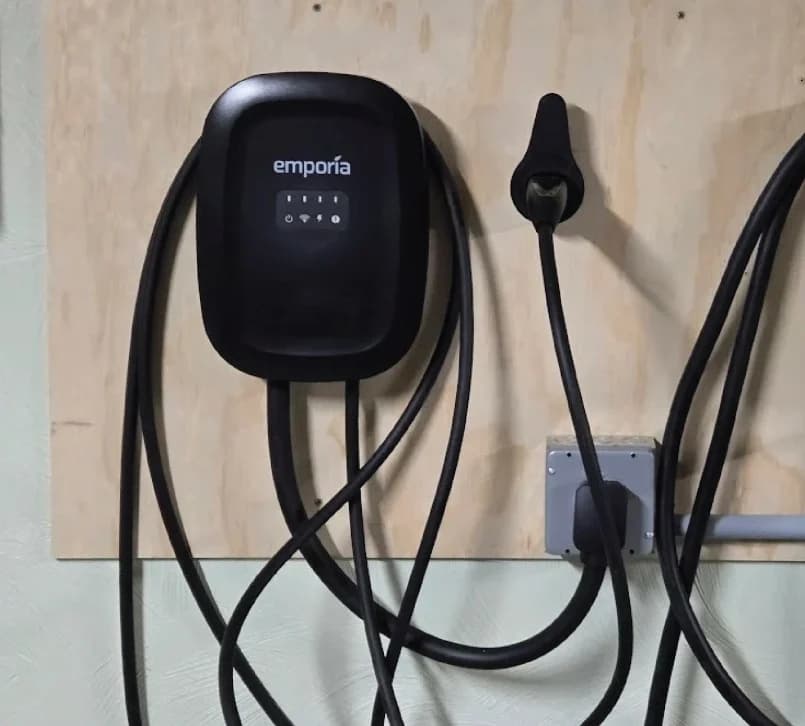
Emporia Classic Level 2 EV Charger (NACS, 48A)48A max · 11.5 kW max · NACS (J3400)
- See on Amazon2
Best load-management bundle for J1772
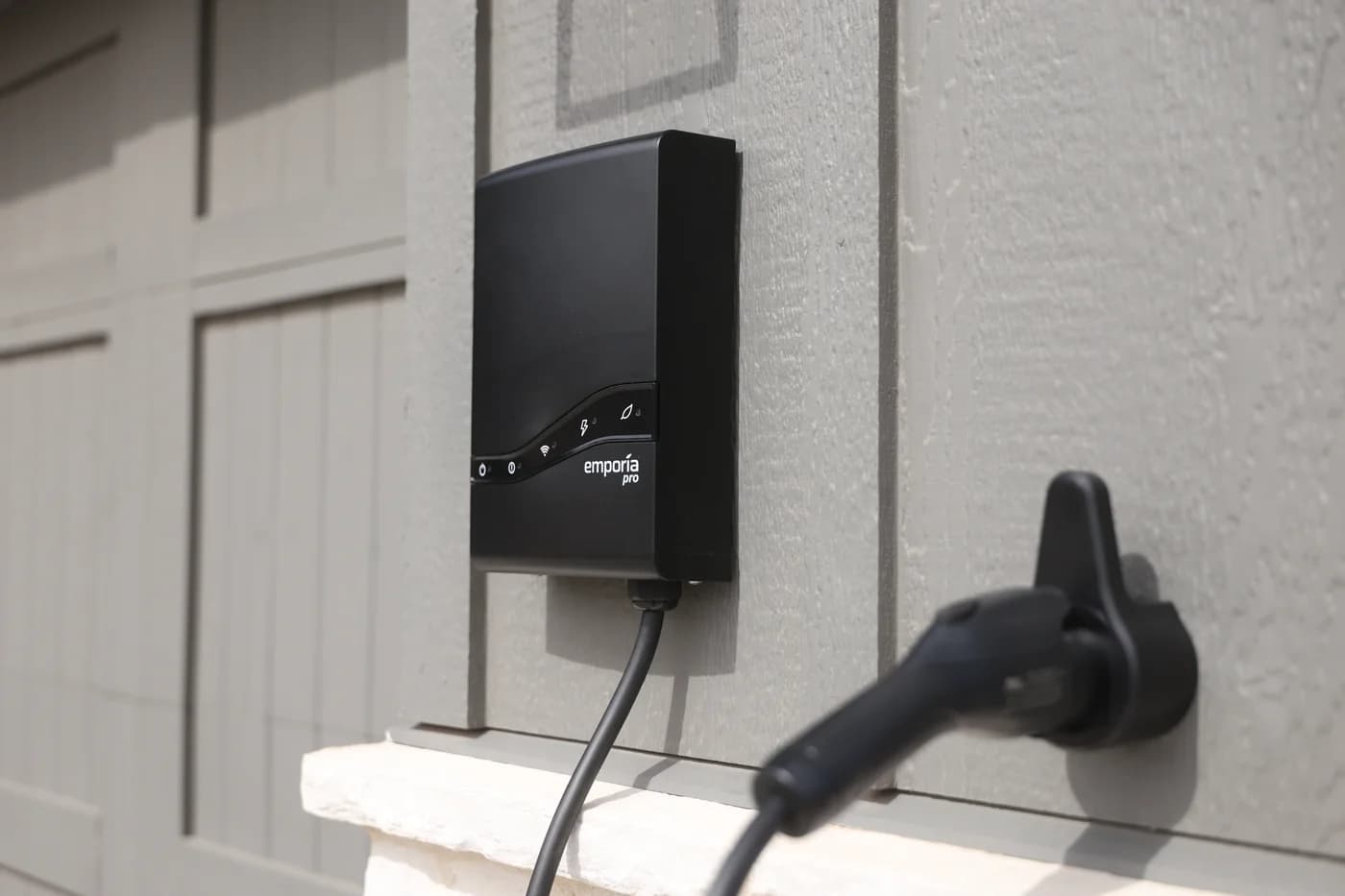
Emporia Pro Level 2 EV Charger (J1772, 48A)48A max · 11.5 kW max · J1772
For most homes with sufficient electrical capacity, choose the Emporia Classic EV charger with the connector that matches the car. Choose Emporia Pro when you want the included Vue 3 monitor and PowerSmart load management from the start. Both families top out at 40A plug-in or 48A hardwired; Pro’s advantage is managing available capacity.
This guide covers the North American variants; compare other brands in our best Level 2 EV chargers guide.
Quick picks: match the car, then the home
| Your situation | Our pick |
|---|---|
| J1772 inlet; adequate panel capacity | Classic J1772 |
| NACS inlet; adequate panel capacity | Classic NACS |
| J1772 inlet; load management needed | Pro J1772 bundle |
| NACS inlet; load management needed | Pro NACS bundle |
Classic vs Pro: connector and installation grid
At 240V, Emporia rates both families at 9.6kW plug-in or 11.5kW hardwired, subject to the installed configuration.
Both have NEMA Type 4 enclosures for indoor/outdoor use and three-year warranties.
- NEMA Type 4Charger enclosures for indoor/outdoor use
- 3 yearsWarranty, either family
| Variant / catalog ID | Plug-in option | Hardwired option | Energy management supplied |
|---|---|---|---|
Classic J1772 · B09ZNN3JB7 |
NEMA 14-50: up to 40A | Up to 48A | Scheduling; Vue and PowerSmart extra |
Classic NACS · B0CKKLCVSR |
NEMA 14-50: up to 40A | Up to 48A | Scheduling; Vue and PowerSmart extra |
Pro J1772 · B0D9MQNWQ4 |
NEMA 14-50: up to 40A | Up to 48A | Vue 3 + PowerSmart included |
Pro NACS · B0D9MPCX6H |
NEMA 14-50: up to 40A | Up to 48A | Vue 3 + PowerSmart included |
The catalog IDs above match Emporia’s connector-specific purchase links; they do not establish the selected supply connection or color. Before buying, match family, car connector, supply connection and bundle contents on the purchase page.
Availability caveat: the saved maker-store data marks Pro NACS and Pro plug-in variants unavailable; J1772 hardwired is marked available. The grid describes listed configurations, so confirm live stock before ordering.
Ratings come from the official Classic specifications and Pro product page.
Best default for J1772: Emporia Classic
Buy this for a J1772 inlet when the electrician confirms sufficient capacity and you want app scheduling without the monitoring bundle. The Classic has a 25-foot cable, a NEMA Type 4 enclosure and a three-year warranty.
Solar optimization can be added with a separately purchased Vue; PowerSmart needs an additional paid software upgrade. If those features are part of your initial plan, compare the complete Pro package before ordering.
Best default for NACS: Emporia Classic
Choose Classic NACS for a matching NACS inlet, including Tesla vehicles, when household capacity is sufficient. It retains the same plug-in and hardwired limits as the J1772 Classic; changing the connector does not increase output.
Emporia
Emporia Classic Level 2 EV Charger (NACS, 48A)
A 48A (11.5kW) ENERGY STAR smart Level 2 home charger with a NACS (SAE J3400) connector that opens the Tesla charge port, a 25-ft cable and NEMA Type 4 enclosure.
- 48A max
- 11.5 kW max
- NACS (J3400)
Emporia’s Classic spec sheet describes a NACS handle sensor that opens the Tesla charging port. Check the actual inlet on a newer non-Tesla vehicle rather than buying solely by brand.
Best managed bundle for J1772: Emporia Pro
Choose Pro J1772 when load management is needed and you are starting without a Vue monitor. The bundle includes Vue 3, two 200A main current transformers and PowerSmart software; additional branch-circuit sensors are sold separately.
Emporia
Emporia Pro Level 2 EV Charger (J1772, 48A)
A 48A (11.5kW) smart Level 2 home charger with a J1772 connector and a 24- or 25-ft cable (Emporia's sources differ) that comes with Emporia's Vue 3 panel monitor for PowerSmart load balancing.
- 48A max
- 11.5 kW max
- J1772
PowerSmart lowers charging when other household loads rise and increases it when capacity returns. It respects the configured charger maximum, so the bundle does not promise uninterrupted maximum-speed charging.
NACS managed bundle to confirm: Emporia Pro
If available, choose Pro NACS for the same monitoring and PowerSmart package with a native NACS connector. The connector choice and supply connection are separate options: a NACS handle does not turn the plug-in version into a 48A charger.
Ask the seller to confirm the exact configuration and cable before placing the order, especially if the listing changes variants when you select a color.
What a Classic upgrade actually needs
The Classic upgrade listing is specifically labeled Vue WH + Software, For Classic Chargers. Owning a Vue alone does not enable PowerSmart on Classic: the paid software upgrade is also required.
Starting without a monitor means adding both the Vue and software. Already owning a compatible Vue permits a software-only path; contact Emporia support to enable the Classic upgrade. The monitor must watch the electrical panel supplying the charger.
Existing Vue 2 owners face a source conflict: the configuration article allows Vue 2 or Vue 3, while the PowerSmart overview specifies Vue 3. Ask support to confirm your monitor and charger combination before purchasing software alone.
Pro already includes the software and monitor, but its manual still requires app/network setup to enable PowerSmart. Have a licensed electrician install the panel monitor and determine the Service Rating and Guaranteed Charge Rate. Obtain any required permit through the installer.
Why the advertised maximum may not be your charging speed
Check the vehicle’s AC charging limit, the charger’s configured maximum, and the home’s available capacity separately. The Department of Energy also identifies battery state, vehicle charger capacity, equipment output and electrical service as charging-time factors.
Tap a label to explore. You can also hover or use your keyboard.
Check the car’s AC limit
Read the vehicle’s maximum Level 2 charge rate before comparing charger maximums.
Sources: 1: The vehicle’s maximum Level 2 charging rate is a separate limit to check.Which supply connection?
Plug-in and hardwired configurations have different output ceilings in both families.
Sources: 2: Classic supports up to 40A plug-in or 48A hardwired., 3: Pro supports up to 40A plug-in or 48A hardwired.Plug-in: up to 40A
Either family is limited to this maximum with its NEMA plug; the configured rate may be lower.
Sources: 2: Classic supports up to 40A plug-in or 48A hardwired., 3: Pro supports up to 40A plug-in or 48A hardwired., 5: Individual configured charger limits remain in effect with PowerSmart.Hardwired: up to 48A
Either family can reach this maximum only with a suitable installed configuration.
Sources: 2: Classic supports up to 40A plug-in or 48A hardwired., 3: Pro supports up to 40A plug-in or 48A hardwired., 5: Individual configured charger limits remain in effect with PowerSmart.Does the home need load management?
Available household capacity may constrain charging below the charger and vehicle ceilings.
- Adequate capacity Choose Classic in the car’s connector
- Managed capacity needed Choose Pro or upgrade Classic
Choose Classic in the car’s connector
Our default when the home has sufficient capacity and does not require load management.
Outcome
Sources: 1: The vehicle’s maximum Level 2 charging rate is a separate limit to check., 6: Classic is suitable when panel capacity is adequate and load management is not needed.Choose Pro or upgrade Classic
Pro bundles the Vue monitor and PowerSmart; Classic needs the monitor and paid software upgrade.
Outcome
Sources: 7: The Pro bundle includes the Vue 3 monitor and PowerSmart software., 8: Classic requires a paid software upgrade for PowerSmart.PowerSmart can use spare capacity. It cannot raise the vehicle’s AC limit or the charger’s configured maximum.
Source notes8 references
The vehicle’s maximum Level 2 charging rate is a separate limit to check.
help.emporiaenergy.com — source for The vehicle’s maximum Level 2 charging rate is a separate limit to check.Know your EV's maximum Level 2 charge rate. Emporia chargers are adjustable from 6A to 48A, so the charger can be configured to match your vehicle's capacity.
Classic supports up to 40A plug-in or 48A hardwired.
link.emporiaenergy.com — source for Classic supports up to 40A plug-in or 48A hardwired.Install Methods NEMA 14-50 Plug (up to 40A) with 25” cable, Hardwired (up to 48A)
Pro supports up to 40A plug-in or 48A hardwired.
shop.emporiaenergy.com — source for Pro supports up to 40A plug-in or 48A hardwired.NEMA Type 14-50P (up to 40A) with 28" cable. Hardwired (up to 48A) with 3' long conduit.
PowerSmart reduces output when other household loads rise and increases it as consumption drops.
help.emporiaenergy.com — source for PowerSmart reduces output when other household loads rise and increases it as consumption drops.PowerSmart watches your home's total energy draw 3,000 times per second using your Emporia Vue Energy Monitor. When other appliances are pulling significant power, PowerSmart reduces your EV charger's output so your panel doesn't exceed its service rating. When home consumption drops, PowerSmart increases the charge rate back up toward your maximum.
Individual configured charger limits remain in effect with PowerSmart.
help.emporiaenergy.com — source for Individual configured charger limits remain in effect with PowerSmart.Individual Charger Limits: Each charger maintains its maximum charge rate setting, which PowerSmart will not exceed even when capacity is available
Classic is suitable when panel capacity is adequate and load management is not needed.
help.emporiaenergy.com — source for Classic is suitable when panel capacity is adequate and load management is not needed.Have adequate electrical panel capacity and don't need load management right away
The Pro bundle includes the Vue 3 monitor and PowerSmart software.
help.emporiaenergy.com — source for The Pro bundle includes the Vue 3 monitor and PowerSmart software.Note: The Pro EV Charger is sold as a complete bundle with the Vue 3 energy monitor. PowerSmart dynamic load management is pre-installed and ready to use immediately.
Classic requires a paid software upgrade for PowerSmart.
help.emporiaenergy.com — source for Classic requires a paid software upgrade for PowerSmart.Obtain PowerSmart software for your charger. PowerSmart comes pre-installed on Emporia Pro Level 2 EV Chargers. For Emporia Classic Level 2 EV Chargers, a paid software upgrade is required:
For PowerSmart, the electrician-established Guaranteed Charge Rate is the fallback when management is unavailable. Previously downloaded schedules continue offline, but updates need internet access. The Vue supports wired networking or Wi-Fi; that does not establish an Ethernet connection for the charger.
Set the desired battery percentage in the car: Emporia says its charger cannot read or control that percentage.
Cable reach, outdoor use and the electrician’s brief
Classic’s shop page and spec sheet agree on 25 feet. For Pro, the manual says 24 feet for either connector, but the shop and Classic/Pro help comparison say 25 feet.
Both charger enclosures are NEMA Type 4 for indoor/outdoor use; Emporia lists an operating range of −22°F to 122°F. Emporia identifies both families as UL certified to UL 2594. Those ratings do not replace checking the installation location with the electrician.
For these models, the published plug-in ceiling is 40A on a dedicated 50A circuit; 48A hardwired calls for a dedicated 60A circuit. Emporia warns that its built-in GFCI protection can cause nuisance trips with a GFCI breaker and recommends discussing hardwiring where local outlet rules require one. Ask the electrician to resolve the local requirements; do not remove required protection to solve a trip.
Emporia also specifies an industrial-grade, continuous-duty receptacle for the plug-in configuration. An existing outlet deserves assessment before you choose that option.
Before ordering, confirm:
- The vehicle’s exact AC inlet and maximum charge rate.
- Circuit capacity, installation type and permit requirements with the electrician.
- Monitor, software, network and fallback rate if PowerSmart is needed.
- The exact Pro cable length and reach to the parked car.
If an adapter is unavoidable, verify compatibility with both the car and charger and confirm it is for Level 2 AC charging. Our NACS and J1772 adapter guide explains the directions and AC/DC distinction.
How we choose
We compared Emporia’s official shop pages, connector/configuration data, manuals and support articles, with Department of Energy guidance for charging limits. Recommendations follow inlet fit, electrical capacity and required equipment; we have not physically tested these chargers. The existing verified catalog IDs were cross-checked against Emporia’s own purchase links without visiting Amazon. Cable length and older-monitor compatibility stay explicitly unresolved where official pages conflict.
thisWATT is reader-supported: when you buy through our links, we may earn a commission at no extra cost to you. As an Amazon Associate, thisWATT earns from qualifying purchases. Read our disclosure.
Verdict
Choose Classic in your car’s native connector when the panel has sufficient capacity. Choose Pro when you need the Vue and PowerSmart package now; existing Classic owners can add the monitor and software instead. Before ordering, settle the supply connection with the electrician and confirm cable reach for the exact variant.
Frequently asked questions
Is the Emporia Pro faster than the Classic?
Both families have the same published maximums: 40A with the NEMA 14-50 plug or 48A hardwired, rated at 9.6kW and 11.5kW respectively at 240V. Pro adds the Vue 3 monitor and PowerSmart bundle. It can use spare household capacity dynamically, but cannot exceed the configured charger limit or your vehicle’s AC acceptance.
Can I upgrade an Emporia Classic to PowerSmart?
Yes. You need the PowerSmart software upgrade and a Vue monitor watching the charger’s electrical panel; buying a monitor alone does not enable PowerSmart. Emporia offers software-only and monitor-plus-software paths through support. Its configuration article allows Vue 2 or Vue 3, while its overview specifies Vue 3, so confirm an existing Vue 2 before ordering.
Which Emporia connector should I buy for my car?
Match the vehicle’s actual AC inlet: buy J1772 for a J1772 inlet, or NACS for a NACS inlet. Emporia offers both connectors in both charger families. Check the owner’s manual for your exact vehicle rather than assuming from its brand. If using an adapter, verify Level 2 AC compatibility with both the charger and vehicle.
Does an Emporia EV charger work without Wi-Fi?
Basic charging can continue offline after suitable configuration. Emporia says the charger retains essential settings and previously downloaded schedules; changing schedules needs an internet connection. PowerSmart has a separately configured Guaranteed Charge Rate for when management is unavailable. Have the electrician establish that fallback rather than assuming offline operation always retains the advertised maximum output.
Is the Emporia Pro cable 24 or 25 feet?
Emporia’s Pro installation manual specifies a 24-foot cable for J1772 or NACS, but its shop page advertises a 25-foot cable. The Classic/Pro help comparison also says 25 feet for both. These sources disagree. Confirm the exact supplied cable with Emporia before ordering, especially if reaching the parking space depends on the longer figure.
Related guides
ChargePoint Home Flex Variants: NACS, J1772, Plug-In or Hardwired
Choose the right ChargePoint Home Flex with exact NACS and J1772 model codes, plug types, circuit limits, cable options and outdoor checks before buying.
Updated November 2, 2026Read
Best Level 2 EV Chargers for Home (NACS and J1772) in 2026
Choose a home EV charger by your car's port, your circuit and your plug: 40A plug-in vs 48A hardwired, NACS or J1772, the GFCI trap, and the end of the 30C credit.
Updated November 2, 2026Read