

Comparison
Emporia vs ChargePoint Home Flex
Chargers and Complete Kits
Choose Emporia or ChargePoint Home Flex by connector, circuit, offline controls and load-management hardware, with cable and warranty checks before buying.
By thisWATT EditorialUpdated November 3, 20268 min read1 pick
On this page · Our picks at a glance
Our picks at a glance
- 1
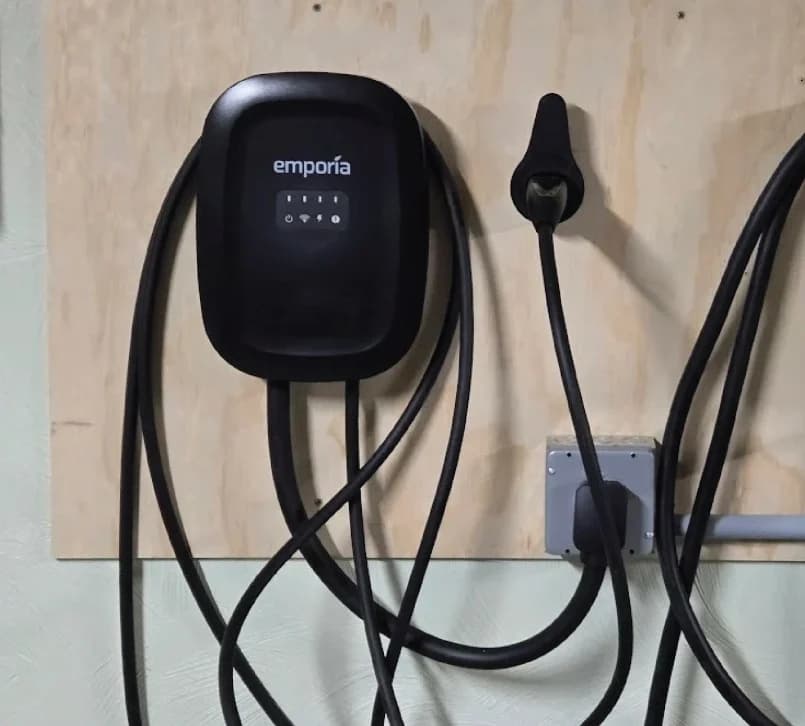
Emporia Classic Level 2 EV Charger (NACS, 48A)
Choose for: Up to 48 A hardwired, with Wi-Fi scheduling and J1772 or NACS choices.
Limit: 48 A needs hardwiring and a suitable 60 A circuit; panel load management costs extra. Ask an electrician.
For a home with limited electrical capacity, choose Emporia Pro: its kit includes the Vue 3 monitor and PowerSmart load management. With capacity already approved, Emporia Classic is our default for scheduled home charging; choose ChargePoint Home Flex for home and public charging in one app or an existing NEMA 6-50 outlet. Match the vehicle connector and supply connection before comparing output. Emporia requirements, Classic features, Home Flex configurations.
This US comparison uses manufacturer documents, with no physical product testing. For the full menus within each brand, see Emporia charger variants and Home Flex variants.
Quick picks by household
Compare specifications and all conditions
Panel capacity is tight; starting from scratch
- Our pick
- Emporia Pro kit
- What to confirm
- Vue installation, PowerSmart activation and electrician-set fallback
Sufficient capacity; one car and routine scheduling
- Our pick
- Emporia Classic
- What to confirm
- Native vehicle connector and plug-in versus hardwired supply
Already use ChargePoint or have an approved 6-50 outlet
- Our pick
- Home Flex
- What to confirm
- Correct wall plug, car connector and installer credentials
Already own a Classic and compatible Vue
- Our pick
- PowerSmart software-only upgrade
- What to confirm
- Existing monitor eligibility before ordering more hardware
Multiple EVs need to share available charging capacity
- Our pick
- Emporia, subject to electrician approval
- What to confirm
- Charger Load Sharing versus whole-panel PowerSmart
Full comparison table
Swipe to compare. Row labels stay visible.
| Your situation | Our pick | What to confirm |
|---|---|---|
| Panel capacity is tight; starting from scratch | Emporia Pro kit | Vue installation, PowerSmart activation and electrician-set fallback |
| Sufficient capacity; one car and routine scheduling | Emporia Classic | Native vehicle connector and plug-in versus hardwired supply |
| Already use ChargePoint or have an approved 6-50 outlet | Home Flex | Correct wall plug, car connector and installer credentials |
| Already own a Classic and compatible Vue | PowerSmart software-only upgrade | Existing monitor eligibility before ordering more hardware |
| Multiple EVs need to share available charging capacity | Emporia, subject to electrician approval | Charger Load Sharing versus whole-panel PowerSmart |
Scroll horizontally to see every column
| Your situation | Our pick | What to confirm |
|---|---|---|
| Panel capacity is tight; starting from scratch | Emporia Pro kit | Vue installation, PowerSmart activation and electrician-set fallback |
| Sufficient capacity; one car and routine scheduling | Emporia Classic | Native vehicle connector and plug-in versus hardwired supply |
| Already use ChargePoint or have an approved 6-50 outlet | Home Flex | Correct wall plug, car connector and installer credentials |
| Already own a Classic and compatible Vue | PowerSmart software-only upgrade | Existing monitor eligibility before ordering more hardware |
| Multiple EVs need to share available charging capacity | Emporia, subject to electrician approval | Charger Load Sharing versus whole-panel PowerSmart |
Sources: Emporia requirements, Load Sharing, Home Flex options.
Compare equivalent configurations
J1772 or NACS names the vehicle connection; NEMA 14-50, NEMA 6-50 or hardwired names the supply connection. Both brands offer native J1772 and NACS choices. Compare the same vehicle connector and installation type, rather than a plug-in Emporia against a hardwired Home Flex. The Classic, Pro and Home Flex specifications give these maximums at 240V:
Classic J1772
- Plug-in configuration and ceiling
- NEMA 14-50; 40A / 9.6 kW
- Hardwired ceiling
- 48A / 11.5 kW
- Whole-home monitoring supplied
- Vue and PowerSmart upgrade extra
Classic NACS
- Plug-in configuration and ceiling
- NEMA 14-50; 40A / 9.6 kW
- Hardwired ceiling
- 48A / 11.5 kW
- Whole-home monitoring supplied
- Vue and PowerSmart upgrade extra
Pro J1772
- Plug-in configuration and ceiling
- NEMA 14-50; 40A / 9.6 kW
- Hardwired ceiling
- 48A / 11.5 kW
- Whole-home monitoring supplied
- Vue 3, two 200A CTs and PowerSmart included
Pro NACS
- Plug-in configuration and ceiling
- NEMA 14-50; 40A / 9.6 kW
- Hardwired ceiling
- 48A / 11.5 kW
- Whole-home monitoring supplied
- Vue 3, two 200A CTs and PowerSmart included
Home Flex J1772
- Plug-in configuration and ceiling
- NEMA 6-50 or 14-50; 40A / 9.6 kW
- Hardwired ceiling
- 50A / 12 kW
- Whole-home monitoring supplied
- No equivalent kit established by the cited home documents
Home Flex NACS
- Plug-in configuration and ceiling
- NEMA 6-50 or 14-50; 40A / 9.6 kW
- Hardwired ceiling
- 50A / 12 kW
- Whole-home monitoring supplied
- No equivalent kit established by the cited home documents
Full comparison table
Swipe to compare. Row labels stay visible.
| Exact family / vehicle connector | Plug-in configuration and ceiling | Hardwired ceiling | Whole-home monitoring supplied |
|---|---|---|---|
| Classic J1772 | NEMA 14-50; 40A / 9.6 kW | 48A / 11.5 kW | Vue and PowerSmart upgrade extra |
| Classic NACS | NEMA 14-50; 40A / 9.6 kW | 48A / 11.5 kW | Vue and PowerSmart upgrade extra |
| Pro J1772 | NEMA 14-50; 40A / 9.6 kW | 48A / 11.5 kW | Vue 3, two 200A CTs and PowerSmart included |
| Pro NACS | NEMA 14-50; 40A / 9.6 kW | 48A / 11.5 kW | Vue 3, two 200A CTs and PowerSmart included |
| Home Flex J1772 | NEMA 6-50 or 14-50; 40A / 9.6 kW | 50A / 12 kW | No equivalent kit established by the cited home documents |
| Home Flex NACS | NEMA 6-50 or 14-50; 40A / 9.6 kW | 50A / 12 kW | No equivalent kit established by the cited home documents |
Scroll horizontally to see every column
| Exact family / vehicle connector | Plug-in configuration and ceiling | Hardwired ceiling | Whole-home monitoring supplied |
|---|---|---|---|
| Classic J1772 | NEMA 14-50; 40A / 9.6 kW | 48A / 11.5 kW | Vue and PowerSmart upgrade extra |
| Classic NACS | NEMA 14-50; 40A / 9.6 kW | 48A / 11.5 kW | Vue and PowerSmart upgrade extra |
| Pro J1772 | NEMA 14-50; 40A / 9.6 kW | 48A / 11.5 kW | Vue 3, two 200A CTs and PowerSmart included |
| Pro NACS | NEMA 14-50; 40A / 9.6 kW | 48A / 11.5 kW | Vue 3, two 200A CTs and PowerSmart included |
| Home Flex J1772 | NEMA 6-50 or 14-50; 40A / 9.6 kW | 50A / 12 kW | No equivalent kit established by the cited home documents |
| Home Flex NACS | NEMA 6-50 or 14-50; 40A / 9.6 kW | 50A / 12 kW | No equivalent kit established by the cited home documents |
Bundle contents follow Emporia's PowerSmart overview. For Home Flex, see the dedicated-circuit limitation below. These are ceilings, not promised charging rates: ChargePoint explicitly says speed depends on the car's onboard charger. Its installation FAQ also permits a 48A / 11.5 kW hardwired setting, matching Emporia's maximum.
Source: manufacturer specifications and installation FAQ linked above
Emporia Classic: our default with sufficient capacity
Choose Classic J1772 for a J1772 inlet, or the existing Classic NACS variant for a NACS inlet. Both have the same published output limits. The Classic's app provides scheduling and charging-energy information; a Vue adds household monitoring and excess-solar management, while PowerSmart requires its own upgrade. Classic specifications, features.
Emporia
Emporia Classic Level 2 EV Charger (NACS, 48A)
A 48A (11.5kW) ENERGY STAR smart Level 2 home charger with a NACS (SAE J3400) connector that opens the Tesla charge port, a 25-ft cable and NEMA Type 4 enclosure.
- 48 A max
- 11.5 kW max
- NACS (J3400)
Choose Classic if the electrician confirms sufficient capacity; choose Pro for its included monitoring and management equipment. Select the actual supply option on the purchase page as well as the vehicle connector.
Emporia Pro: best complete kit for a constrained panel
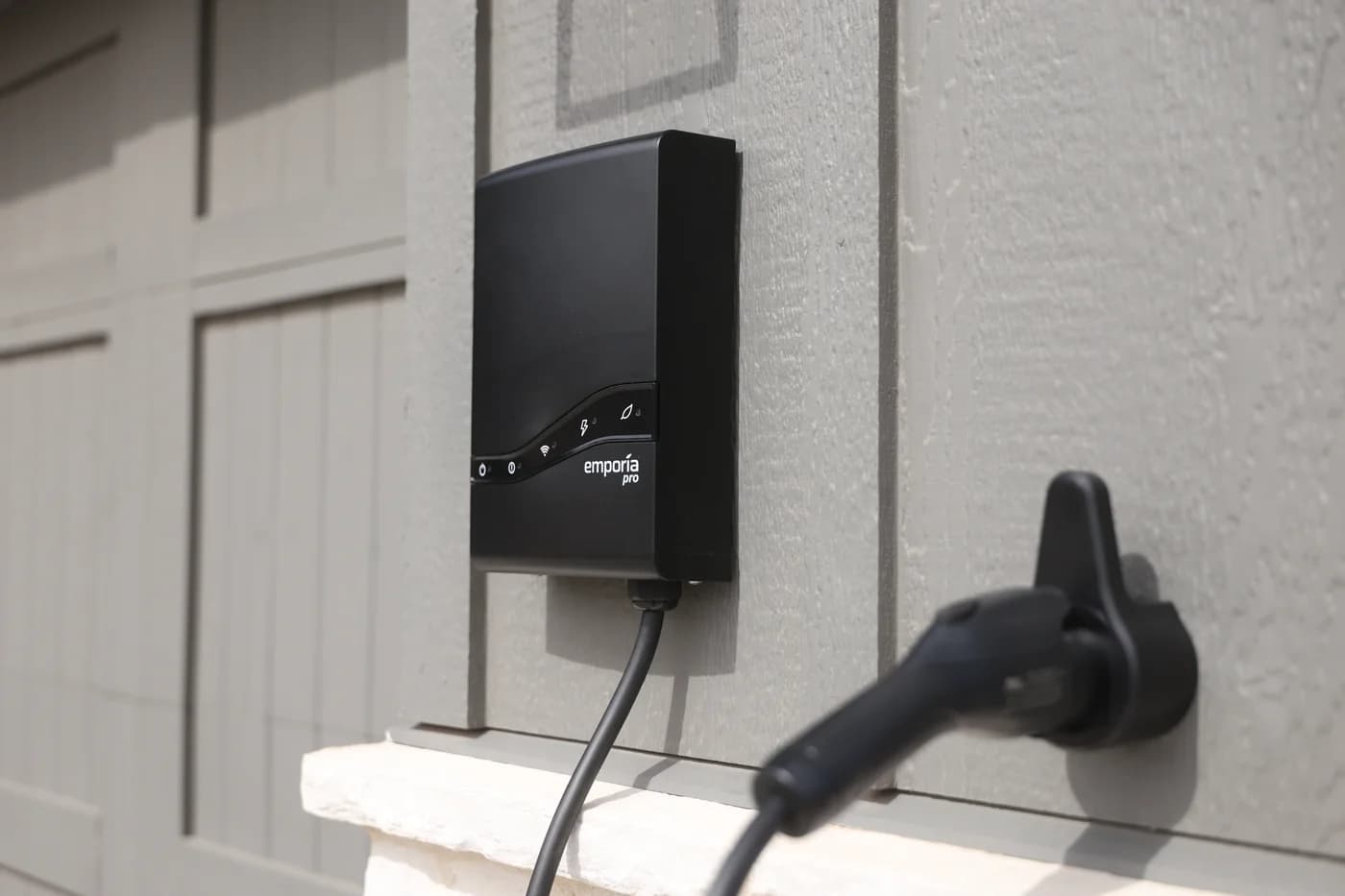
Emporia
Emporia Pro Level 2 EV Charger (J1772, 48A)
A 48A (11.5kW) smart Level 2 home charger with a J1772 connector and a 24- or 25-ft cable (Emporia's sources differ) that comes with Emporia's Vue 3 panel monitor for PowerSmart load balancing.
- 48 A max
- 11.5 kW max
- J1772
Pro is our pick when managing household capacity is part of the installation. It has the same current ceiling as Classic, but includes the monitor and software that adjust charging as other household loads change. It comes in J1772 and NACS versions. Pro specifications, PowerSmart requirements.
Pro's standard monitoring pack includes Vue 3, two 200A main current transformers, a Wi-Fi antenna assembly and wire harness, plus PowerSmart. The Pro installation guide additionally inventories the charger, vehicle cable, mounting bracket, connector holder and mounting hardware. Branch-circuit sensors are optional for appliance-level insights; they are not a missing requirement for whole-home PowerSmart. Emporia's Vue specification distinguishes main-sensors-only packs from packs with additional circuit sensors.
Have a licensed electrician assess the complete system and required permits. Emporia says that professional must determine Service Rating and Guaranteed Charge Rate; Pro falls back to the latter when PowerSmart is unavailable. Do not assume a monitor guarantees that every home can avoid electrical upgrades. PowerSmart requirements, fallback explanation.
ChargePoint Home Flex: best for its app or an existing 6-50 outlet
Home Flex is the better fit if you want home and public charging in the ChargePoint app, or your electrician approves an existing NEMA 6-50 outlet. It offers 6-50, 14-50 and hardwired supply versions with either vehicle connector. Home Flex options.
For a J1772 / 14-50 comparison, identify CPH50-NEMA14-50-L23-K. For NACS hardwired, identify CPH50-HARDWIRE-L23-NACS-K. The connector and supply are separate choices; our Home Flex variant guide covers the other combinations. Official ordering table.
For a constrained panel, do not treat a Home Flex plus an unspecified meter as equivalent to Pro: the Home Flex FAQ requires a dedicated circuit for each station. ChargePoint's separate Power Management FAQ names CT4000 and CPF50 station families, rather than CPH50.
Choose the matching Home Flex on ChargePoint's site. Its existing product records await exact ASIN confirmation, so this guide uses the maker's link.
Setup, offline charging and schedules
Emporia: basic charging is available without Wi-Fi; adjusting rates and automated features requires initial app setup. The charger retains essential settings and downloaded schedules during an outage; schedule changes need internet. Its charger needs 2.4GHz Wi-Fi, even though the Vue monitor also supports Ethernet. Offline behavior, charger connectivity, monitor connectivity.
Home Flex: an unconfigured unit defaults to 16A. Its installation FAQ says an electrician can configure amperage through Bluetooth without Wi-Fi; activation and connected features need Wi-Fi at the charger. Once configured, saved schedules continue if Wi-Fi drops. Home Flex supports 2.4/5GHz Wi-Fi. Configuration FAQ, troubleshooting, datasheet.
Load management adds another condition: PowerSmart has its electrician-set Guaranteed Charge Rate. Emporia's separate charger-to-charger Load Sharing needs no Vue, but dynamic sharing requires internet and its offline default is 6A per charger. These are different fallback rules. Ask the installer to document the behavior of your chosen system. PowerSmart, Load Sharing.
Buying the complete supported setup
Nothing; want whole-panel management
- What the Emporia documentation requires
- Pro kit with included Vue 3 monitoring pack and PowerSmart, plus professional installation and configuration
Classic; no monitor
- What the Emporia documentation requires
- Monitor-plus-PowerSmart upgrade through Emporia support; a Vue alone does not activate it
Classic and a suitable Vue
- What the Emporia documentation requires
- Software-only PowerSmart upgrade; confirm the monitor first
Multiple chargers; only sharing EV capacity
- What the Emporia documentation requires
- Emporia Load Sharing does not require a Vue; whole-panel PowerSmart is separate
Full comparison table
Swipe to compare. Row labels stay visible.
| What you own | What the Emporia documentation requires |
|---|---|
| Nothing; want whole-panel management | Pro kit with included Vue 3 monitoring pack and PowerSmart, plus professional installation and configuration |
| Classic; no monitor | Monitor-plus-PowerSmart upgrade through Emporia support; a Vue alone does not activate it |
| Classic and a suitable Vue | Software-only PowerSmart upgrade; confirm the monitor first |
| Multiple chargers; only sharing EV capacity | Emporia Load Sharing does not require a Vue; whole-panel PowerSmart is separate |
Scroll horizontally to see every column
| What you own | What the Emporia documentation requires |
|---|---|
| Nothing; want whole-panel management | Pro kit with included Vue 3 monitoring pack and PowerSmart, plus professional installation and configuration |
| Classic; no monitor | Monitor-plus-PowerSmart upgrade through Emporia support; a Vue alone does not activate it |
| Classic and a suitable Vue | Software-only PowerSmart upgrade; confirm the monitor first |
| Multiple chargers; only sharing EV capacity | Emporia Load Sharing does not require a Vue; whole-panel PowerSmart is separate |
Emporia's overview specifies Vue 3, while its configuration article allows Vue 2 or Vue 3. These disagree about eligible monitors. For a new system choose the documented Vue 3 kit; for an existing Vue 2, obtain support confirmation before ordering. Every charger in a multi-charger PowerSmart system needs PowerSmart capability or an upgrade.
Use this checklist for Black Friday and Cyber Monday, comparing the whole order:
Name the exact configuration
Match Classic, Pro or CPH50, then the vehicle connector and supply connection.
List the required components
Check charger-only against monitor-plus-software kits; distinguish software-only upgrades and optional branch sensors.
Get the installation scope
Have the electrician approve capacity, the configured current, permits, outdoor placement and any management fallback.
Confirm warranty eligibility
Check installer credentials and the terms for the charger and monitor separately before buying.
Cable reach, outdoor placement and warranty
Classic lists a 25-foot cable. Home Flex lists 23 feet. Pro's spec sheet and web page say 25 feet, while its installation guide says 24 feet for either connector. Confirm the supplied Pro cable if reach is tight; plan for slack at the car's actual parking position. Classic, Home Flex, Pro spec sheet, Pro manual.
Emporia specifies NEMA Type 4 charger enclosures; Home Flex specifies Type 3R. Both allow outdoor placement, but ChargePoint requires hardwiring or a weatherproof receptacle outdoors. Have the electrician assess placement and local requirements. Emporia lists UL 2594 safety certification for Classic and Pro; Home Flex lists UL and cUL, complying with UL 2594 and UL 2231-1/-2. Classic, Pro, Home Flex specifications.
For severe cold, ChargePoint's datasheet gives -22°F as its operating minimum, while the installation guide revised May 2026 gives -40°F for North America. Ask ChargePoint to resolve that conflict for the supplied unit. Datasheet, manual.
Compare component warranties: Emporia's terms cover charger hardware for three years, Vue hardware for one year, and exclude labor and water damage. Home Flex's datasheet lists a three-year parts warranty. Neither headline tells you the full cost of a replacement visit. Emporia terms, Home Flex datasheet.
How we choose
We compared official US product pages, ordering tables, installation guides, support articles and warranty terms. We separated native connectors, supply configurations, charger sharing and whole-panel management, and retained conflicts between each maker's documents. Recommendations reflect those documented capabilities, without physical testing, cable-flexibility judgments or predicted reliability. For other brands, start with our Level 2 charger guide.
Verdict
Choose Classic for scheduled charging on an approved installation, Pro for a documented monitor-and-PowerSmart package, or Home Flex for ChargePoint's combined home/public app and its 6-50 option. For existing Emporia owners, confirm the upgrade path before buying another charger. The deciding comparison is the complete supported configuration your electrician can approve.
Frequently asked questions
Is Emporia better than ChargePoint Home Flex?
Choose Emporia Pro when you need a documented whole-home load-management kit: Vue 3 and PowerSmart are included. With sufficient capacity, Classic is our default for scheduled home charging. Home Flex makes sense if you want home and public charging in the ChargePoint app or a NEMA 6-50 option. Match connector and supply connection before comparing their maximum ratings.
Is ChargePoint faster than Emporia?
Both brands stop at 40A plug-in, rated at 9.6 kW at 240V. Hardwired Emporia Classic and Pro top out at 48A and 11.5 kW; Home Flex reaches 50A and 12 kW. Home Flex can also run at 48A. The useful charging rate depends on the approved circuit and your car's onboard charger, so its higher ceiling alone does not establish faster charging for your car.
Will these chargers work without Wi-Fi?
Both makers say saved schedules continue during a Wi-Fi outage. Emporia retains essential settings, but changing charge rates or automated features needs initial app setup. PowerSmart uses a separate Guaranteed Charge Rate when unavailable. Home Flex defaults to 16A before correct configuration; its installation FAQ says an electrician can configure amperage through Bluetooth without Wi-Fi. Connected features still need Wi-Fi.
Can I add PowerSmart to an Emporia Classic I already own?
Yes. Emporia offers monitor-plus-software and software-only upgrade paths through support. Buying a Vue alone does not activate PowerSmart. Its overview specifies Vue 3, while its configuration article allows Vue 2 or Vue 3; confirm an existing Vue 2 before purchasing. Have the electrician determine Service Rating and Guaranteed Charge Rate rather than copying another household's settings.
Does ChargePoint Home Flex have load sharing like Emporia?
The cited Home Flex installation FAQ requires a dedicated circuit for each station. ChargePoint's separate Power Management FAQ names CT4000 and CPF50 station families, rather than Home Flex CPH50. Emporia documents charger-to-charger Load Sharing without a Vue; whole-panel PowerSmart requires a Vue and appropriate software. Ask for a documented system for your exact installation rather than assuming these are interchangeable features.
Related guides
Best picks · Level 2 EV Chargers
Best Home EV Chargers for BMW iX: Keep the Cord or Buy?
Choose a home EV charger for your BMW iX: when to keep the BMW cord, which J1772 wall chargers to buy, and how to check model year, supply and overnight needs.
Best picks · Level 2 EV Chargers
Best Home EV Chargers for Subaru Solterra: 25-ft Picks by Year
Choose a home charger for your US Solterra by model year, connector and actual cable reach. Compare verified 25-ft options, shorter alternatives and setup.
Best picks · Level 2 EV Chargers
Best Home Chargers for Tesla Model Y: Buy for Your Daily Miles
Choose a Tesla Model Y home charger by vehicle limits, daily miles and parking reach. Compare Tesla, Emporia and Home Flex, or keep your Mobile Connector.